
The first few moments a user spends with your product are the most critical. This is where they decide if your solution is the answer to their problems or just another tab to close. Effective user onboarding isn't just a friendly tour; it's a strategic process that guides new users to their 'Aha!' moment, the point where they truly grasp your product's value. A strong first impression directly impacts activation rates, long-term retention, and ultimately, your bottom line. Getting this initial experience right is non-negotiable for sustainable growth.
In this comprehensive guide, we move beyond generic advice to provide a tactical playbook of user onboarding best practices. We will dissect 10 actionable strategies designed for modern SaaS product managers, growth teams, and developers. Each point is crafted to be immediately applicable, focusing on personalization, intelligent automation, and data-driven improvements that deliver measurable results.
You will learn how to implement sophisticated techniques like progressive disclosure to avoid overwhelming users, and how to leverage personalization to create unique onboarding paths. We'll explore practical examples, including how to use tools like Brand.dev to instantly prefill signups with company data, theme new user dashboards with correct branding, and automatically generate on-brand assets. From setting up activation metrics to integrating APIs for a seamless developer experience, this article provides the specific insights needed to transform your new user signups into dedicated, active customers. This is your blueprint for creating an onboarding flow that doesn't just welcome users, but actively demonstrates your product's indispensable value from the very first click.
1. Personalized Onboarding Paths
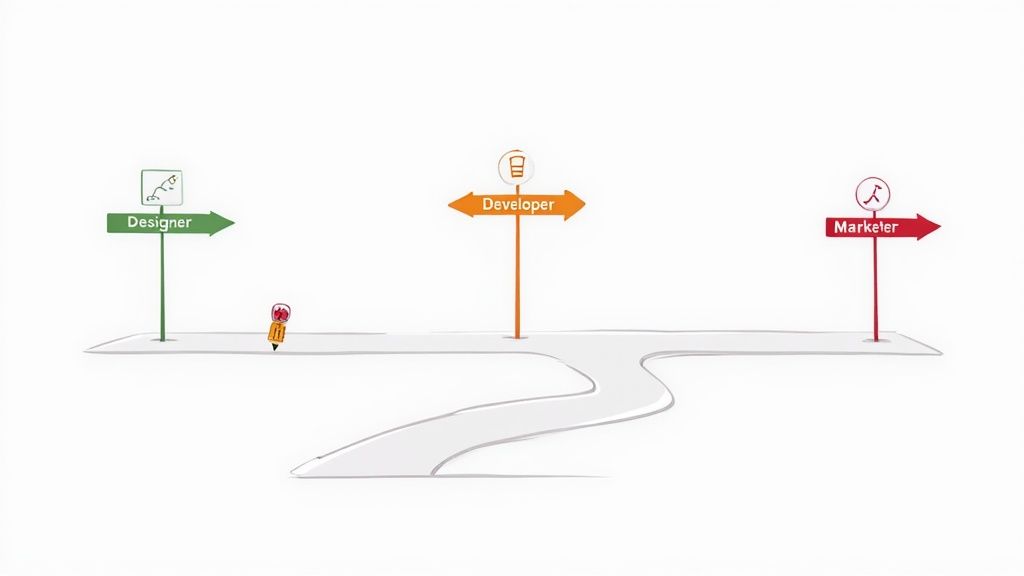
One of the most effective user onboarding best practices is to abandon the one-size-fits-all approach. Personalized onboarding paths recognize that different users have different goals, technical skills, and reasons for using your product. By customizing the initial experience based on a user's role, industry, or stated objective, you can deliver relevant guidance that accelerates their time-to-value and significantly reduces churn.
This strategy moves away from generic product tours and instead focuses on showing users the specific features and workflows that solve their immediate problem. For instance, HubSpot asks new users about their role (e.g., marketer, salesperson) and tailors the initial dashboard and tutorials to that function. Similarly, Notion presents a template gallery during signup, allowing users to select a pre-built workspace for their specific use case, like project management or personal note-taking.
How to Implement Personalized Paths
Effective personalization starts with gathering the right data at the right time. The goal is to create meaningful user segments without introducing unnecessary friction into the signup process.
- Use Upfront Segmentation Questions: Ask 2-3 simple, targeted questions during signup. Focus on role ("What's your primary role?"), goal ("What do you want to achieve?"), or company size. This data provides an immediate basis for customization.
- Leverage Enrichment Data: Instead of asking users for information you can find elsewhere, use tools to enrich their profiles. For example, a service like Brand.dev can pull in company branding details using just a corporate email domain, allowing you to automatically theme the user's dashboard with their company's colors and logo for a hyper-personalized first impression. You can explore a deeper dive into SaaS onboarding personalization strategies.
- Allow for Flexibility: Users’ needs can change. Always provide an easy way for them to explore other paths or change their initial preference from within the application settings.
- Analyze and Refine: Continuously monitor how different segments perform. Use A/B testing and analytics to identify which paths lead to higher activation rates and long-term retention, and use those insights to refine your segmentation criteria.
2. Empty States & Contextual Onboarding
A user’s first interaction with your product’s core features often happens on a blank screen. This "empty state" is a critical, yet frequently overlooked, component of the onboarding process. Rather than showing a void, one of the most effective user onboarding best practices is to transform these empty spaces into launchpads for action. By providing contextual guidance and templates, you can guide users from a blank canvas to their first "aha!" moment.

This strategy turns potential confusion into a guided experience. For instance, GitHub’s empty repository doesn't just sit there; it provides clear command-line instructions for pushing an existing project or creating a new one. Similarly, Asana presents project templates within its empty state, allowing users to immediately set up a Kanban board or a project timeline, reducing friction and demonstrating value instantly. This contextual onboarding ensures help is provided precisely when and where it is needed most.
How to Implement Effective Empty States
The goal is to make the next step obvious and appealing. A well-designed empty state educates, motivates, and directs the user without overwhelming them.
- Provide Actionable Templates: Don't just tell users what to do; give them a starting point. Canva excels at this by offering a gallery of design templates on its blank canvas, making it easy for anyone to create a professional-looking graphic in minutes.
- Show, Don't Just Tell: Use visuals or examples of a completed state to help users envision the end result. Trello, for example, might show a sample board with example cards and lists to illustrate how a project can be organized.
- Keep Guidance Clear and Concise: Use simple language and a clear call-to-action. The instruction should focus on the single most important action a user can take from that screen.
- Make it Visually Engaging: Use friendly illustrations, concise copy, and brand-consistent design to make the empty state feel like an intentional part of the experience, not a dead end. This reinforces your brand and makes the initial steps feel less intimidating.
3. Gamification & Achievement Systems
Another powerful user onboarding best practices involves integrating gamification and achievement systems to motivate users. This approach uses game-like mechanics such as points, badges, progress bars, and leaderboards to encourage engagement, guide users through key actions, and create a sense of accomplishment. By turning the initial learning curve into an enjoyable challenge, you can foster positive habits and drive deeper product adoption from the very first session.

Gamification taps into intrinsic human desires for competition, completion, and recognition. For example, Duolingo’s famous streak system incentivizes daily practice, while LinkedIn’s profile completion bar visually nudges users to add more information, enhancing the value of their network. Similarly, Codecademy uses progress visualization and badges to mark milestones, making the daunting task of learning to code feel more manageable and rewarding.
How to Implement Gamification
Effective gamification feels like a natural part of the user experience, not a tacked-on distraction. The goal is to align rewards with core product value and user goals.
- Introduce a Progress Bar: Use a clear visual indicator for onboarding checklists or setup tasks. This shows users exactly where they are in the process and how close they are to completion, which can significantly increase follow-through.
- Award Meaningful Badges: Create badges or achievements for completing key actions, like "First Project Created" or "Team Member Invited." These act as positive reinforcement and subtly educate users on valuable features.
- Keep it Subtle and Integrated: Avoid intrusive pop-ups or excessive notifications about achievements. Rewards should feel earned and discovered within the context of using the product, rather than being a constant interruption.
- Align Rewards with Value: Ensure that the actions you gamify are those that lead users to their "aha!" moment. Rewarding trivial tasks can devalue the system, while rewarding high-impact actions reinforces behavior that leads to long-term retention.
4. Cohort-Based Learning & Scheduled Onboarding
A powerful user onboarding best practice is to move beyond the initial product tour and deliver guidance over time. Scheduled or cohort-based onboarding treats the first week as a critical learning period, drip-feeding valuable content through emails, webinars, or in-app messages. This prevents cognitive overload and reinforces learning by delivering the right information when users are most likely to need it.
This approach transforms onboarding from a one-time event into a structured, time-based journey. It respects the user's learning curve by spacing out complex concepts and feature introductions. For example, Mailchimp sends a multi-day email sequence that guides new users from creating their first audience to launching a campaign. Similarly, Calendly introduces advanced features like Workflows and team scheduling only after a user has successfully scheduled their first few meetings, ensuring the advice is timely and relevant.
How to Implement Scheduled Onboarding
The key to a successful scheduled sequence is a balance between time-based delivery and behavioral triggers. You want the experience to feel like a guided course, not a rigid, impersonal drip campaign.
- Map a Multi-Day Journey: Outline the user’s first 7-10 days. Identify 2-3 critical "aha" moments you want them to experience and build your sequence around guiding them to those milestones. Start simple; you don't need a 30-day course from day one.
- Use Behavioral Triggers: While time-based sends are a good start, make your sequence smarter by using in-app actions as triggers. If a user completes a key action (e.g., invites a teammate), either skip the email that prompts them to do so or send a congratulatory message with the next step.
- Personalize Content Based on Actions: Tailor your messages based on what a user has or hasn't done. A user who has connected their calendar but hasn't created an event type needs a different nudge than one who hasn't connected their calendar at all.
- Test and Iterate Your Sequences: Continuously analyze your onboarding cohorts. Use A/B testing on your email subject lines, timing, and content to see which sequences lead to higher activation rates and long-term user retention.
5. Product Tours with Video Demonstrations
One of the most engaging user onboarding best practices is to replace static text-based tooltips with dynamic video demonstrations. Videos excel at showing, not just telling, users how to navigate complex workflows or understand key features. This approach reduces cognitive load, clarifies abstract concepts, and caters to visual learners, making the onboarding process feel less like a chore and more like a guided, supportive experience.
Instead of forcing users to read lengthy instructions, short videos can demonstrate the "aha!" moment in seconds. For example, Loom uses its own product to create brief video tutorials embedded directly within the onboarding flow, showing users exactly how to record, edit, and share their first video. Similarly, Notion integrates short video clips into its template gallery, providing a quick, visual preview of how each template functions before a user commits to it.
How to Implement Video Demonstrations
Creating effective video content for onboarding requires a focus on clarity, brevity, and context. The goal is to provide just-in-time guidance that helps users accomplish a specific task without overwhelming them.
- Keep Videos Short and Focused: Aim for a maximum length of 60-90 seconds. Each video should focus on a single feature or workflow. If a process is complex, break it down into a series of shorter, sequential videos.
- Show, Don't Just Tell: Record your screen within the actual product interface, not a mockup. Use cursor highlights and zoom effects to draw attention to important UI elements and actions, making the steps easy to follow.
- Prioritize Accessibility: Always include closed captions for users who are hearing-impaired or viewing with the sound off. Providing a written transcript alongside the video also improves accessibility and makes the content searchable.
- Embed Videos Contextually: Place videos where they are most relevant, such as within a modal, a pop-up tour, or a help center widget. The video should appear right when the user is about to perform the action it demonstrates. You can even personalize video thumbnails with the user’s company branding to make the experience more cohesive; see how this works by requesting a Brand.dev demo.
6. Knowledge Base & Self-Service Support Integration
Even the most intuitive onboarding flow can't cover every question a new user might have. One of the most crucial user onboarding best practices is providing robust, accessible self-service support. Integrating a comprehensive knowledge base directly into the user experience empowers users to find answers independently, reducing friction and minimizing their reliance on your support team for common queries.
This approach transforms documentation from a reactive support tool into a proactive onboarding asset. Instead of waiting for users to hit a roadblock and submit a ticket, you provide a searchable library of guides, tutorials, and FAQs they can access anytime. Stripe’s extensive developer documentation is a prime example, allowing engineers to self-serve complex integration questions, while HubSpot Academy offers a learning platform that goes beyond simple feature explanations to teach broader marketing and sales concepts.
How to Implement Self-Service Support
An effective knowledge base is more than just a list of articles; it's a carefully structured resource designed for discoverability and clarity. The goal is to make finding information faster than contacting support.
- Organize by User Journey: Structure your documentation around user goals and workflows, not just a list of your product's features. This helps new users find relevant information for the tasks they are trying to accomplish right now.
- Make it Contextual: Don't just build a help center and hope users find it. Use in-app tooltips or beacons to link directly to relevant articles from specific UI elements. For instance, if a user is on the billing page, provide a subtle link to the "How to Read Your Invoice" guide.
- Incorporate Rich Media: Use screenshots, GIFs, and short video tutorials to break up text and visually demonstrate complex steps. Visual aids are often more effective and easier to follow than long, text-heavy explanations.
- Optimize for Search: Implement powerful search functionality with clear filtering options. To ensure your self-service options are truly effective, delve into knowledge management best practices for structuring accessible and useful support content.
- Analyze Usage: Track which articles are viewed most often, what terms users are searching for, and where they get stuck. Use these analytics to identify gaps in your onboarding and improve your documentation. You can discover how DocsBot leveraged Brand.dev to enhance their documentation-driven AI support.
7. In-App Messaging & Smart Notifications
One of the most dynamic user onboarding best practices is leveraging in-app messaging and smart notifications. This strategy involves delivering targeted, behavior-triggered messages to guide users at critical moments, moving beyond generic pop-ups to provide contextual, real-time assistance. By delivering the right message at the right time, you can proactively address friction, highlight valuable features, and nudge users toward their "aha!" moment.
This approach is powerful because it meets users where they are, both in the product and in their lifecycle journey. Instead of forcing them through a rigid, linear tour, you provide gentle guidance precisely when it's needed most. For example, Zendesk uses contextual help prompts that appear when a user hesitates on a complex settings page, while Spotify sends smart notifications recommending a new playlist based on recent listening activity, encouraging deeper engagement.
How to Implement In-App Messaging
Effective in-app messaging is about relevance and timing, not volume. The goal is to be a helpful guide, not an intrusive announcer.
- Use Behavioral Triggers: Base messages on what users do (or don't do), not just how long they've been signed up. Trigger a message when a user first navigates to the analytics dashboard, or if they haven't invited a teammate after three sessions.
- Segment by Lifecycle Stage: New users need guidance on core features, while activated users might benefit from tips on advanced functionality. Tailor your messaging to their level of product mastery to ensure relevance and avoid overwhelming them.
- Make Messages Easily Dismissible: Nothing frustrates a user more than a pop-up they can't close. Ensure every in-app message has a clear and obvious exit option, and respect their choice to dismiss it by not showing it again.
- Limit Message Volume: Avoid "notification fatigue" by limiting active prompts to one or two per user at any given time. Prioritize the most critical actions you want to encourage and focus your messaging efforts there.
- Test and Iterate: Continuously test the timing, placement, copy, and triggers of your messages. Use analytics to measure their impact on feature adoption and user retention, and refine your strategy based on what works best for your audience.
8. Live Chat & Human Support During Onboarding
Automated flows are powerful, but sometimes users need a human touch. Integrating live chat and proactive human support into your onboarding process is a critical best practice that can rescue users at their most vulnerable moments. Instead of letting a user abandon the process in frustration, offering immediate, real-time assistance provides a safety net that builds trust and keeps them moving toward activation.
This strategy involves more than just a passive support widget. It’s about proactively engaging users who appear stuck or confused, turning a potential point of friction into a positive, brand-affirming interaction. For example, Intercom is well-known for making its chat functionality a core part of its own onboarding, allowing new users to get answers without leaving the product. Similarly, Calendly often triggers proactive chat messages if a user spends too much time on a specific setup screen, offering help precisely when it's needed most.
How to Implement Human Support
Effectively deploying human support requires a blend of technology and training. The goal is to be helpful and available without being intrusive.
- Offer Chat Proactively: Use product analytics to identify common drop-off points or signs of struggle, like repeat visits to a help doc or excessive time on one page. Trigger a proactive chat message in these moments, offering targeted assistance.
- Create Onboarding-Specific Responses: Equip your support team with pre-written templates and guides for the most common onboarding questions. This ensures fast, consistent, and accurate answers when users are just getting started.
- Train Support on "Aha!" Moments: Your support team should be experts not just in troubleshooting but in guiding users to value. Train them to understand the key activation milestones for different user personas and help steer conversations toward those outcomes.
- Analyze Chat Data: Treat every support conversation as a source of invaluable feedback. Regularly review chat transcripts to identify recurring issues, points of confusion, or feature requests that you can use to improve your self-service onboarding flows and documentation.
- Set Clear Expectations: Be transparent about your support availability and average response times. If you offer 24/7 support, great. If not, let users know when your team is online so they know when to expect a reply.
9. Activation Metrics & Milestone-Based Onboarding
One of the most critical user onboarding best practices is to define success before you even begin building your flow. Milestone-based onboarding shifts the focus from simply showing users features to guiding them toward specific actions that correlate with long-term retention. These key actions, or "activation milestones," represent the moment a user experiences the core value of your product for the first time.
This strategy ensures your onboarding isn't just a tour; it's a mission with a clear objective. For Slack, this milestone is sending a certain number of messages, because their data shows this behavior leads to "stickiness." For Trello, it might be creating a board and adding a few cards. The goal is to identify the "aha!" moment and systematically lead every new user to experience it, transforming them from a curious visitor into an activated user.
How to Implement Milestone-Based Onboarding
Defining and tracking the right milestones is essential for creating an onboarding experience that drives meaningful business outcomes. The process involves identifying value-driving actions and using them to guide user behavior.
- Define Primary Milestones: Identify the 1-2 key actions that a user must take to truly understand your product's value. Avoid overwhelming them with a long checklist; focus on the most impactful steps. For a tool like Figma, this is creating their first design file. For Stripe, it's processing their first transaction.
- Ensure Milestones Reflect Value: The chosen actions should directly solve a user's problem or help them achieve their primary goal. Creating a profile is a step, but inviting a team member and collaborating on a task is an outcome that delivers tangible value.
- Track Completion Rates by Cohort: Monitor how different user segments and acquisition channels perform against these milestones. This data will reveal friction points in your onboarding and highlight which user groups are activating most successfully.
- Trigger Targeted Interventions: Use milestone data to automate support. If a user hasn't completed a key milestone within 48 hours, trigger an in-app message, a helpful email with a tutorial, or a product tour to get them back on track.
- Revisit and Adjust Milestones: Activation metrics are not static. As your product evolves and your business goals change, periodically review and adjust your milestones to ensure they still align with what defines a successful, retained user.
Top 10 User Onboarding Best Practices Comparison
| Approach | Implementation complexity | Resource requirements | Expected outcomes | Ideal use cases | Key advantages |
|---|---|---|---|---|---|
| Progressive Disclosure & Guided Tours | Medium, UI overlays and conditional flows | Product design, frontend dev, onboarding tooling | Improved feature discovery; faster time-to-value | Feature-rich products for new users | Contextual, step-by-step guidance that reduces overwhelm |
| Personalized Onboarding Paths | High, segmentation and branching logic | Data collection, analytics, multiple content variants, dev | Higher relevance, engagement and activation | Diverse user segments (roles, industries, company sizes) | Tailored journeys that increase conversion and retention |
| Empty States & Contextual Onboarding | Medium, UX design and contextual triggers | UX writing, templates, in-product hooks | Users learn by doing; lower bounce on empty screens | Products with blank canvases or first-run experiences | Guides users to next actions in-context; reduces friction |
| Gamification & Achievement Systems | Medium–High, tracking and reward systems | Design, backend tracking, analytics, ongoing content updates | Increased engagement and feature exploration (novelty risk) | Learning apps, consumer products, feature exploration drives | Motivates users with visible progress and rewards |
| Cohort-Based Learning & Scheduled Onboarding | Medium, sequence design and automation | Email/in-app automation tools, content production, analytics | Better retention via spaced learning; sustained engagement | Users who benefit from gradual education over days/weeks | Spaced touches improve retention and reduce overload |
| Product Tours with Video Demonstrations | Medium, production and embedding workflows | Video production tools, hosting, captions/transcripts | Faster comprehension of complex workflows; fewer support queries | Complex workflows, visual demonstrations, tutorials | Shows rather than tells; repurposable help content |
| Knowledge Base & Self-Service Support Integration | Medium–High, content strategy and structure | Documentation writers, CMS/search, ongoing maintenance | Reduced support tickets; scalable 24/7 help | Developer platforms, enterprise products, growing user base | Empowers self-serve learning; improves credibility and scalability |
| In-App Messaging & Smart Notifications | Medium, targeting and trigger logic | Messaging platform, analytics, content templates | Timely guidance and higher response rates if well-timed | Feature prompts, behavioral nudges, onboarding interventions | High visibility, easy to update, delivers help at moment of need |
| Live Chat & Human Support During Onboarding | High, staffing, routing, SLAs | Support agents, training, chat/video tools, scheduling | Immediate issue resolution; higher conversion for complex users | Enterprise/high-value customers, critical onboarding moments | Real-time help builds trust and quickly unblocks users |
| Activation Metrics & Milestone-Based Onboarding | Medium, define and instrument milestones | Analytics tools, product instrumentation, reporting | Objective measure of onboarding success; early churn signals | Teams optimizing activation, retention, and product-led growth | Focuses efforts on measurable milestones; enables data-driven action |
Putting It All Together: Designing an Onboarding Flow That Sticks
We've explored a comprehensive set of user onboarding best practices, from the strategic elegance of progressive disclosure to the data-driven precision of activation metrics. Moving beyond a simple checklist, the goal is to weave these powerful techniques into a cohesive, value-driven journey that transforms curious signups into dedicated, successful users. A truly effective onboarding experience isn't just about showing people how to use your product; it's about proving why they should.
The journey from a new user to a power user is paved with small, meaningful victories. Your onboarding flow is the architect of these moments. It’s the difference between a user feeling overwhelmed by an empty dashboard and feeling empowered by a clear, guided next step. It’s the contrast between a generic, one-size-fits-all tutorial and a personalized path that speaks directly to their unique goals and use case.
Synthesizing the Strategy: From Theory to Implementation
To truly elevate your approach, you must shift your perspective from teaching features to demonstrating value. The practices discussed throughout this article are not isolated tactics but interconnected components of a holistic strategy.
- Combine Personalization with Guidance: Use personalized onboarding paths to understand a user’s "why," then apply progressive disclosure and contextual empty states to guide their "how." This ensures the information they receive is not only relevant but also delivered at the precise moment of need.
- Integrate Human and Automated Support: Leverage in-app messaging and smart notifications for proactive, automated check-ins. Simultaneously, make live chat and self-service knowledge bases easily accessible. This hybrid model provides scalability without sacrificing the crucial human touch that builds trust and solves complex problems.
- Measure What Matters: Ground your entire strategy in data. Define your key activation milestones and use them as the North Star for your onboarding design. A/B testing different approaches, from gamification elements to video demonstrations, allows you to move from guesswork to a proven, data-backed methodology for improving user success.
The ultimate goal of onboarding is not feature adoption; it's value realization. When a user experiences that "aha!" moment and clearly sees how your product solves their problem, you have successfully bridged the gap between acquisition and retention.
Your Actionable Next Steps
Mastering these user onboarding best practices is an iterative process, not a one-time project. Begin by auditing your current flow against the principles we've covered. Identify the single biggest point of friction or drop-off and focus your efforts there first. Is it an overwhelming initial screen? A lack of clear direction? An impersonal welcome?
Start small. Implement a single change, such as personalizing the welcome message based on signup data or redesigning a critical empty state to be more actionable. Measure the impact on your key activation metrics. This continuous loop of implementing, measuring, and refining is the engine of sustainable growth. By creating an onboarding experience that is empathetic, intelligent, and relentlessly focused on user value, you build more than just a customer base; you build a community of advocates who champion your product because it genuinely helps them succeed.
Ready to supercharge your personalization efforts? Many of the world's fastest-growing companies use Brand.dev to instantly enrich user profiles, prefill signups with accurate company data, and theme user dashboards with their own branding. Explore how the Brand.dev API can help you implement these user onboarding best practices and create a frictionless, hyper-personalized experience from the very first click.