
Generic websites don't cut it anymore. Your users expect the interface to know who they are and adapt accordingly, and when it doesn't, they bounce. For SaaS products, fintech apps, and AI tools, this hits hard: generic onboarding causes drop-offs, unbranded dashboards feel like afterthoughts, and asking users to manually upload their logo is friction you can't afford. Website personalization strategies fix this by automatically making your platform feel custom-built for each user.
This article skips the basic Hello, {FirstName} stuff. We're covering ten strategies that use real-time data to create experiences users actually notice. You'll see how brand data APIs let you build dynamic theming, auto-populated onboarding, and context-aware content without months of engineering work. Whether you're a product team trying to improve activation, a developer integrating APIs, or building AI tools that generate branded assets, these techniques apply.
If you want the fundamentals first, check out this guide on What Is Website Personalization and How It Drives Revenue. What follows here is the practical playbook.
1. Dynamic Brand Asset Loading
Instead of making users upload their logo and pick their brand colors, just fetch them automatically. When someone signs up with their work email, you already have their domain, use it to pull their company's logo, colors, and fonts from an API. The assets stay current, and users get an interface that looks like it was built for them.
This works well for SaaS dashboards, onboarding flows, and integration directories. Take a user's email domain (say, acme.com), hit a brand data API, and suddenly your UI displays their logo and uses their brand colors. Users notice this stuff. It builds trust immediately.
How It Works
When a user signs up or logs in, grab their email domain and send it to a brand data service like Brand.dev or Clearbit. You get back a JSON object with logo URLs, hex codes, and other brand assets.
- Zapier displays app logos in workflow builders so users can spot their tools quickly.
- Fintech platforms show merchant logos on transaction histories and receipts.
- CRM systems put company logos next to contacts and accounts.
Implementation Tips
- Cache everything. Don't hit the API for the same domain twice. Store assets on your server or in Redis.
- Use a CDN for serving logos. Global users need fast load times.
- Set fallbacks. Some domains won't return results. Have a default placeholder ready so you don't show broken images.
- Go beyond logos. Pull style guides and backdrop images too, they let you create richer branded experiences in dashboards and marketing materials.
2. Behavioral Segmentation with Brand Context
Most segmentation stops at what users click. This goes further, group users by their company's industry, size, and market position. When you enrich user data with firmographic info, you can show different content, features, or pricing based on who they actually are.
B2B platforms serving both startups and enterprises benefit most here. A fintech startup visitor sees different case studies and integrations than someone from a Fortune 500 retailer. The platform feels relevant to each, rather than generically trying to appeal to everyone.
How It Works
Use an API to fetch company classification data, NAICS codes, employee count, industry, based on the user's email domain or IP. Then use that data to trigger personalization rules. For more on segmentation methodologies, see this piece on advanced customer segmentation.
- Slack shows different feature highlights for small businesses vs. enterprise, emphasizing security and scalability for larger orgs.
- Stripe displays industry-specific solutions on its homepage based on whether you're SaaS, e-commerce, or something else.
- Payment processors offer different toolkits and pricing for high-volume retail vs. specialized fintech.
Implementation Tips
- Use classification data. NAICS codes and employee counts let you build segments that actually mean something.
- Combine with behavioral analytics. Don't just rely on firmographics. Pair them with Mixpanel or Amplitude data to see how different segments actually use your product.
- A/B test your messaging. Different industries respond to different headlines and CTAs. Test to find what works for each.
- Map features to profiles. Build a matrix of which features matter to startups vs. mid-market vs. enterprise, then use it to guide what you show each segment.
3. Automated On-Brand Onboarding Flows
When someone enters their work email during signup, you can pre-fill their company name, show their logo, and apply their brand colors to the UI, all before they hit "continue." This cuts friction, skips tedious manual entry, and creates a moment where users think "oh, this gets me."
For B2B SaaS, this matters because onboarding is where you lose people. When your signup flow automatically knows who they are and looks like it was built for their company, users trust the product faster. You're not asking them to upload logos or type their company name, you already know.
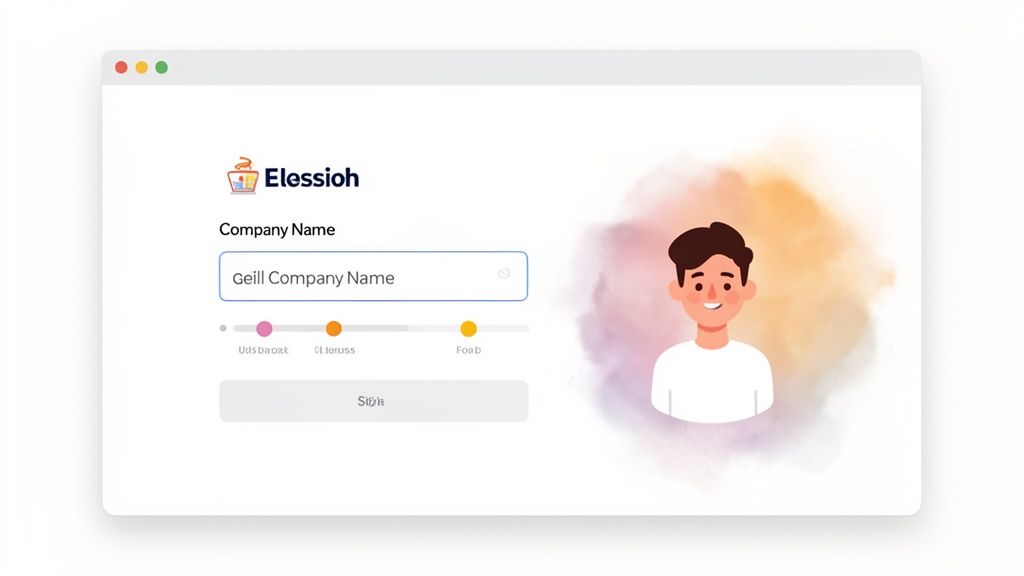
How It Works
As soon as a user types their email, extract the domain and call a service like Brand.dev. You get back the company name, logo, brand colors, everything you need to populate form fields and theme the UI on the fly.
- B2B SaaS platforms auto-fill the company name field and show the logo on the welcome screen.
- Project management tools theme the setup wizard with the user's brand colors.
- Analytics dashboards apply brand colors to charts during first-run.
Implementation Tips
- Trigger on domain change. Fire the lookup as soon as they finish typing the email, not after they submit.
- Show the logo for confirmation. When users see their company logo, they know the account is set up correctly.
- Build graceful fallbacks. Some domains won't match. The flow should quietly revert to manual entry without breaking.
- Persist the data. Once users confirm, save those brand assets to their account so the personalization continues throughout the product. More on this at personalizing SaaS onboarding on brand.dev.
4. AI-Generated On-Brand Marketing Assets
Feed your brand data, logos, colors, fonts, into generative AI, and you can automatically create marketing materials that actually look right. Ad creatives, social posts, promotional content: all consistent with the brand, all generated at scale. No more manually creating variations or fixing off-brand AI output.
This matters most for platforms creating content across multiple brands. The AI generates visuals and copy that match each brand's style, not generic templates. You get the speed of AI without sacrificing brand consistency.

How It Works
Retrieve a company's style guide via an API like Brand.dev, then pass that data into a generative model (DALL-E, GPT-4, etc.). The model uses the colors, typography, and other guidelines to create assets that stay on-brand.
- Ad platforms generate multiple creatives per campaign, each matching the advertiser's brand while targeting different segments.
- Social media tools pull logos, colors, and voice guidelines directly into the content generator.
- Email marketing platforms produce branded templates on the fly.
Implementation Tips
- Feed complete style guides. Give the LLM everything, logos, hex codes, typography, voice/tone guidelines. More context means better output.
- Use prompt templates. Standardize prompts for different asset types (social post, banner ad, etc.) so you get consistent results.
- Keep humans in the loop. For high-visibility assets, have someone review before publishing. AI makes mistakes.
- Track versions. Log generated assets and the prompts that created them. Useful for compliance and figuring out what worked.
5. Personalized Dashboard Theming
Take a customer's brand colors and logo, then apply them across your entire product UI, buttons, sidebars, charts, everything. This isn't just dropping a logo in the corner; it's making your SaaS feel like their internal tool.
For B2B platforms, this drives adoption. When users log in and see their company's colors throughout the interface, the product feels like theirs. That sense of ownership keeps them around longer.
For more information, check this demo out.
How It Works
Fetch the company's color palette from a brand data API using their domain or name. Use those hex codes to set CSS custom properties that control your theme. The whole UI updates without maintaining separate stylesheets per customer. For details, see programmatic theming on Brand.dev.
- Slack Enterprise Grid lets orgs apply custom branding across their workspaces.
- Jira offers white-labeling for enterprise, teams can brand their dashboards with their own colors and logos.
- Google Workspace lets admins add company logos and customize UI colors.
Implementation Tips
- Use CSS custom properties. Define your theme with variables like
--primary-colorand--text-color. Swap in the fetched brand colors, and the whole UI updates. - Check color contrast. Automatically validate contrast ratios for accessibility. If a brand's colors don't meet WCAG standards, adjust the text color dynamically.
- Have fallback themes. When brand colors can't be retrieved or fail accessibility checks, fall back to a default high-contrast theme.
- Let users opt out. Some people prefer the default. Give admins and users a toggle to disable personalized theming.
6. Transaction and Invoice Enrichment with Brand Data
Attach company logos and brand colors to invoices and transaction records. A logo next to a line item makes the charge recognizable instantly. Instead of "ACME CORP - $149.00" in plain text, users see the actual Acme logo beside it.
For fintech platforms and billing systems, this reduces confusion and support tickets. When people recognize the merchant from the logo, they're less likely to dispute charges or ask "what's this?" It also makes your invoices look more professional, which helps with payment acceptance.
How It Works
When you generate an invoice or record a transaction, send the merchant/customer identifier to an API like Brand.dev. Get back logos and colors, then embed them in the document. More details at enrich transaction data on Brand.dev.
- Stripe brands invoices with the customer's logo automatically.
- Square shows merchant logos on digital receipts.
- Fintech apps display merchant logos in transaction histories so users can track spending visually.
Implementation Tips
- Cache assets. Don't fetch the same logo repeatedly. Cache it after the first call.
- Size logos appropriately. A transaction list needs small icons; a PDF invoice header needs something larger.
- Validate colors before rendering. Some hex codes cause issues in PDFs or HTML emails. Check them first.
- Pull in extra metadata. Legal addresses, social links, these add credibility to financial documents.
7. Profile and Directory Personalization with Visual Brand Data
Company lists and contact directories are boring when they're just text. Add logos and brand colors to make them scannable. Users spot familiar companies instantly instead of reading through names.
This works well for CRMs, professional networks, and any platform with lots of company data. When browsing a long list of contacts, a recognizable logo gives context faster than reading "Acme Corporation" for the hundredth time.
How It Works
When someone views a company profile or directory, query a service like Brand.dev or Clearbit with the company name or domain. Insert the returned logos and colors into the UI.
- LinkedIn shows company logos on profiles and job listings.
- Salesforce enriches CRM records with logos so sales teams can visualize their pipeline.
- Stock trading apps display ticker logos (Apple's logo for AAPL) in portfolio views.
- Crunchbase uses logos to organize its database of startups and investors visually.
Implementation Tips
- Lazy-load logos. For long lists, only load images as they scroll into view. Your initial page load will be much faster.
- Add search previews. Show logos next to company names in autocomplete results.
- Use backdrop images. Company hero images make profile pages more interesting.
- Let users flag bad data. Sometimes logos are outdated or wrong. Give users a way to report it.
8. Dynamic Email Personalization with Brand Styling
Personalization doesn't stop at your website. Inject company logos, colors, and fonts into your email templates automatically. Sales outreach with the prospect's logo, notifications styled with the user's workspace branding, emails feel less generic.
For SaaS, fintech, and scheduling tools that send a lot of automated emails, this makes each message feel like a direct communication rather than a mass blast. Open rates go up when emails look like they were made for the recipient.
How It Works
When an email is triggered, use the recipient's or sender's domain to query Brand.dev. Insert the returned brand assets into your HTML template before sending.
- Salesforce lets sales teams include prospect logos in outreach emails automatically.
- Calendly shows the host's branding in meeting invitations.
- Slack displays workspace branding in email notifications.
Implementation Tips
- Inline your CSS. Email clients are inconsistent. Inline styles work across Gmail, Outlook, and Apple Mail.
- Keep images small. Logos under 150KB load quickly on mobile.
- Always set alt text. Some email clients block images by default. Alt text keeps the message clear.
- A/B test. Compare branded vs. non-branded emails to measure the actual impact on opens, clicks, and conversions.
9. Stock Market and Financial Platform Visual Enrichment
Financial data is dense. Adding logos, colors, and company info to stock profiles makes it easier to navigate. Instead of just "AAPL $195.32," show Apple's logo, colors, and links to their social profiles. Users recognize companies faster and can research them without leaving your platform.
For trading apps and fintech platforms, this is a differentiator. Everyone has the same price data, how you present it matters. Visual enrichment turns a wall of numbers into something people actually want to use.
How It Works
Send a ticker symbol to an API like Brand.dev and get back logos, brand colors, social links, and company info. Populate your stock profiles dynamically.
- Robinhood shows company logos next to tickers in portfolio and watchlist views.
- Yahoo Finance enriches stock pages with logos, descriptions, and corporate details.
- Seeking Alpha adds visual branding to company analysis pages.
- Bloomberg Terminal integrates branding into complex data profiles for institutional clients.
Implementation Tips
- Support ticker lookups. In finance, tickers are the primary identifier. Your data source needs to resolve companies from them.
- Cache heavily. Financial platforms get high-volume requests. Cache brand assets aggressively to keep latency low.
- Include social links. Links to official X and LinkedIn accounts help users find news and announcements.
- Handle corporate actions. M&A events, ticker changes, rebrands, you need logic to keep brand data accurate when companies change.
10. Real-Time Brand Consistency Validation in User-Generated Content
When users create content on your platform, you can automatically check it against brand guidelines. Validate logos, colors, fonts, and messaging as content is uploaded, flag problems before they go live.
This matters for marketing platforms, ad networks, and enterprise partner portals where lots of people create branded content. Without automated validation, you end up with outdated logos, wrong colors, and inconsistent branding everywhere. Checking automatically means you don't need a human reviewing every upload.
How It Works
When users upload designs or submit content, send the assets to a validation API like Brand.dev. The API compares against stored brand guidelines and returns pass/fail with specific details about what's wrong.
- Marketing platforms check if franchise owners' social posts and email templates use the correct logo and colors.
- Ad networks validate creatives submitted by advertisers against brand standards.
- Enterprise partner portals verify co-branded materials before publication.
Implementation Tips
- Validate during creation. Embed checks in your editor or upload flow so users get immediate feedback.
- Explain failures clearly. "Incorrect logo version" or "Color #FF0000 is not approved" is more helpful than just "validation failed."
- Auto-correct when possible. If someone uses an outdated logo, swap it for the current one automatically.
- Start with warnings. Before blocking publication, show non-blocking warnings. Let users adjust to the new rules before you enforce strictly.
10-Point Brand-Centric Website Personalization Comparison
| Item | Implementation Complexity | Resource Requirements | Expected Outcomes | Ideal Use Cases | Key Advantages |
|---|---|---|---|---|---|
| Dynamic Brand Asset Loading | Medium, API integration, caching, fallbacks | Brand data API, CDN, cache store, rate-limit handling | Faster time-to-value, consistent branding at scale | SaaS dashboards, onboarding, multi-tenant apps | Automated, scalable brand accuracy |
| Behavioral Segmentation with Brand Context | High, complex rules and analytics | Enriched brand dataset, analytics, feature flagging | Higher conversions, tailored UX and pricing | Growth teams, product-market fit, tiered pricing | Improves relevance and lifetime value |
| Automated On-Brand Onboarding Flows | Medium, UI logic and lookup triggers | Domain lookup, brand API, dynamic UI templates | Lower signup friction, faster activation (40–60% faster) | B2B signup flows, account setup wizards | Speeds onboarding and boosts first impressions |
| AI-Generated On-Brand Marketing Assets | High, LLM/image pipelines and review loops | Brand styleguides, LLMs, image models, human review | Faster creative production, scalable A/B testing | Ad tech, marketing automation, creative ops | Rapid, consistent branded asset generation |
| Personalized Dashboard Theming | Medium-High, theme system + accessibility checks | Brand API, CSS variables, design system support | Higher engagement, perceived product quality | Multi-tenant dashboards, white-label products | Strengthens brand ownership in-product |
| Transaction and Invoice Enrichment with Brand Data | Medium, PDF generation and asset embedding | Brand assets cache, PDF renderer, email delivery | Improved payment rates (~25–30%), trust in billing | Invoicing platforms, payment processors, fintech | Professional, trust-building financial communications |
| Profile and Directory Personalization with Visual Brand Data | Low-Medium, display and lazy-loading logic | Logo storage/cache, metadata enrichment, UI cards | Better recognition, faster lookups, higher engagement | CRMs, directories, contact lists | Visually rich, easier company identification |
| Dynamic Email Personalization with Brand Styling | Medium, template logic and compatibility testing | Brand assets, email templates, client testing tools | Higher open rates (20–40%) and CTR (25–35%) | Sales outreach, marketing campaigns, invites | More personalized, professional email communications |
| Stock Market and Financial Platform Visual Enrichment | Medium, broad coverage + real-time updates | Extensive company data, caching, ticker mapping | Increased engagement, richer company context | Financial platforms, trading apps, research tools | Better investor recognition and visual analysis |
| Real-Time Brand Consistency Validation in UGC | High, detection, scoring, compliance workflows | Brand styleguides, validation engine, moderation tools | Fewer brand violations, less manual review (up to 60%) | Marketing platforms, marketplaces, ad networks | Automated brand governance and compliance |
What to Do Next
These ten strategies share a common thread: they replace manual work with automated, brand-aware personalization. You're not asking users to upload logos or pick colors, you're fetching that data and applying it automatically. That shift reduces friction and makes your product feel custom-built for each user.
The Key Points
- Automate or it won't scale. Manual personalization breaks down as you grow. APIs and automated workflows let you personalize for every user without intervention.
- Brand data is your raw material. Accurate logos, colors, fonts, and social links power real personalization. Without them, you're just doing fancy mail merge.
- Combine what they do with who they are. Behavioral data plus company context creates precision that neither achieves alone.
- Focus on moments that matter. You don't need to personalize everything. Hit the critical touchpoints: onboarding, first use, core features, billing.
Getting Started
Don't try to do all ten at once. Pick one.
- Find your biggest friction point. Where do users drop off? Signup? The first dashboard view? Start there.
- Pick a strategy that addresses it. If onboarding is the problem, automated on-brand onboarding is the obvious choice.
- Define how you'll measure success. Onboarding completion rate, support tickets, feature adoption, pick a metric before you start.
- Build a prototype and test. Try it with a small user segment. Get feedback. Then roll out wider.
The tools for this are accessible now. You don't need an enterprise budget to implement these strategies, a small team with the right API can build experiences that used to require custom development. Start with one friction point, prove it works, and expand from there.
Brand.dev gives you the API to fetch logos, colors, fonts, and company data you need to implement these strategies. Get a free API key and start building.