
In today's competitive landscape, your CRM is more than a digital Rolodex; it's the central nervous system of your business. But its power is unlocked only by the quality and structure of the information within it. Moving beyond basic contact details to a rich, multi-faceted customer view is what separates high-growth companies from the rest. The difference often lies in the strategic application of well-organized data, which enables everything from hyper-personalized onboarding to predictive sales forecasting.
This guide provides a deep dive into eight foundational CRM data examples, complete with practical templates, strategic analysis, and actionable takeaways. We'll move past generic descriptions and get straight to the "how" and "why." You will see tangible examples of what exceptional data looks like, from sample contact records and JSON schemas to field-mapping patterns for complex integrations. For comprehensive customer relationship management, understanding how to effectively integrate and leverage tools is paramount. You can explore how integrating a Salesforce WordPress plugin to boost your CRM can enhance user engagement and overall strategy.
Furthermore, we'll demonstrate how to elevate standard records by enriching them with assets from services like the Brand.dev API, attaching logos, brand colors, and social links to create truly dynamic customer profiles. Whether you're a product manager refining user experiences, a developer building robust integrations, or a growth team aiming for precision targeting, these examples will provide a blueprint. You'll learn how to structure each data type, identify quality issues, and leverage modern tools to turn raw information into your most valuable strategic asset. Let's explore the data that fuels modern customer relationships.
1. Customer Contact Information Data
At its core, a CRM is a system for managing relationships, and the most fundamental data required for this is Customer Contact Information. This foundational dataset includes essential identifiers such as names, email addresses, phone numbers, physical addresses, job titles, and associated company names. It's the primary layer of information that allows your sales, marketing, and support teams to identify, segment, and communicate with individuals. Without accurate contact data, all other CRM functions like pipeline management, marketing automation, and customer service tracking would be impossible.

This data is the backbone of personalization and segmentation efforts. For example, a B2B SaaS company uses the "Job Title" field to tailor marketing campaigns, sending technical deep-dives to a "Lead Engineer" and ROI-focused case studies to a "VP of Finance." Similarly, "Address" data can be used to invite contacts to regional events or segment them by territory for sales reps.
Strategic Breakdown & Analysis
The value of contact information extends far beyond simple communication. It's a critical component for identity resolution, data enrichment, and building a comprehensive customer profile.
- Identity Resolution: The email address often serves as a unique identifier across multiple systems (e.g., marketing platform, helpdesk, billing software), allowing you to create a unified view of a customer's journey.
- Data Enrichment Trigger: A verified corporate email can be used as a key to unlock a wealth of additional firmographic data. Services can use the domain to attach company size, industry, revenue, and even brand assets. You can discover more about using a company data API to enrich records.
- Segmentation & Personalization: Job titles, locations, and even inferred seniority levels allow for highly specific audience segmentation. This is one of the most direct crm data examples of how basic information drives advanced marketing tactics.
Actionable Takeaways
To maximize the value of your contact data, focus on quality and consistency from the very beginning.
Key Tactic: Implement automated data validation on all entry forms. Use real-time email verification APIs to prevent typos and invalid entries, and standardize address formats (e.g., using a USPS-verified system) to ensure data integrity.
Implement these best practices:
- Schedule Regular Audits: Set a quarterly process to run duplicate detection reports in your CRM. Merge redundant contact records to maintain a single source of truth.
- Use Field Normalization: Enforce consistent data formats, such as standardizing "United States" vs. "USA" or "VP" vs. "Vice President" through picklists and automation rules.
- Track Engagement: Monitor email open rates and bounce-backs. A high bounce rate for a specific contact is a strong signal that their data is outdated and needs to be refreshed or archived.
2. Customer Interaction and Communication History
Beyond static contact details, the lifeblood of a CRM is the dynamic record of Customer Interaction and Communication History. This dataset is a chronological log of every touchpoint a customer has with your organization, including emails, phone calls, support tickets, meetings, live chats, and even social media DMs. It transforms the CRM from a simple address book into a living narrative of the customer relationship, providing context and depth to every future engagement. Without this history, teams operate in silos, risking redundant communication and a disjointed customer experience.
This data is crucial for understanding relationship health and progression. For instance, a sales representative can review the HubSpot Activity Feed to see that a prospect recently opened a marketing email and visited the pricing page, providing the perfect context to initiate a timely follow-up call. Similarly, a support agent can see in Zendesk that a customer has had two previous issues with a specific feature, allowing them to provide a more empathetic and informed solution.
Strategic Breakdown & Analysis
Interaction history is the fuel for predictive analytics, churn prevention, and proactive customer success. It provides the qualitative data needed to understand the "why" behind customer behavior.
- Relationship Context: This data provides a 360-degree view of the entire customer journey. A new account manager can instantly get up to speed by reviewing the complete communication log, from the initial sales discovery call to the most recent support ticket.
- Sentiment Analysis: Modern CRMs can apply AI to analyze the text in emails and chat logs to automatically gauge customer sentiment (positive, negative, neutral). This helps identify at-risk accounts before they escalate.
- Predictive Insights: The frequency and nature of interactions are powerful predictors. A sudden drop in communication from a previously engaged account can trigger an automated churn risk alert, while a spike in support tickets can signal an opportunity for upselling to a higher service tier. This is a core example of how crm data examples can drive proactive business strategy.
Actionable Takeaways
To make your interaction data a truly valuable asset, focus on automation and consistency in data capture.
Key Tactic: Integrate your CRM directly with your primary communication channels. Use native integrations or third-party tools like Zapier to automatically log every email sent from Gmail/Outlook, every call made through your VoIP system, and every ticket created in your helpdesk.
Implement these best practices:
- Establish Logging Protocols: Create clear, simple guidelines for your team on how to manually log interactions like in-person meetings or unsynced calls. Use dropdowns and templates to make it fast and consistent.
- Leverage AI Summarization: Use built-in or third-party AI tools to automatically summarize long email threads or call transcripts. This saves time and makes the interaction history easily scannable.
- Analyze Interaction Patterns: Regularly run reports to analyze interaction data. Look for trends like "time between interactions" or "most common support topics" to identify friction points and opportunities in the customer lifecycle.
3. Sales Pipeline and Deal Stage Data
Beyond managing contacts, a CRM's primary function for a sales team is to provide a clear, real-time view of the Sales Pipeline and Deal Stage Data. This dataset tracks every potential sales opportunity as it moves through a series of defined stages, from initial prospecting and qualification to negotiation and closing. It includes critical information like deal size, close probability, expected close date, and the current stage. This data is the lifeblood of sales management, enabling accurate revenue forecasting, performance analysis, and identification of bottlenecks in the sales process.
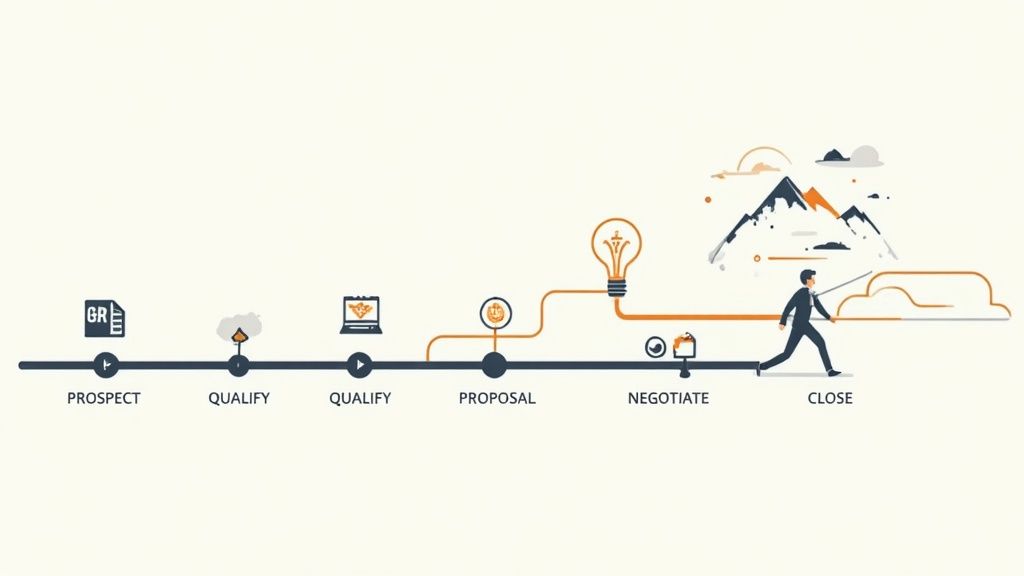
This data transforms sales from an art into a science. For instance, a sales manager at a B2B software company can analyze their HubSpot Deal Pipeline to see that many deals are stalling in the "Proposal Sent" stage. This insight prompts them to investigate, revealing that the proposal isn't clearly communicating value. They can then retrain their team on proposal best practices, directly addressing the blockage. Similarly, Salesforce opportunity reports can be used to track deal velocity, highlighting reps who close deals faster and allowing their successful techniques to be replicated across the team.
Strategic Breakdown & Analysis
Sales pipeline data is more than just a progress tracker; it's a predictive engine and a diagnostic tool for the entire revenue operation. Analyzing this information reveals patterns that drive strategic decisions.
- Revenue Forecasting: By assigning a probability percentage to each stage (e.g., Qualification at 20%, Proposal at 60%), you can create a weighted forecast. This provides a more realistic prediction of future revenue than a simple sum of all open deals.
- Process Optimization: Tracking the "time in stage" for all deals can expose inefficiencies. If deals consistently slow down at a specific point, it's a clear signal that the team needs better resources, training, or a revised process for that stage.
- Performance Management: This is one of the most powerful crm data examples for sales leadership. It allows managers to compare rep performance based on objective metrics like conversion rates between stages, average deal size, and sales cycle length.
Actionable Takeaways
To make your pipeline data truly effective, you must enforce strict data hygiene and process consistency. The goal is to make the data a reliable source of truth.
Key Tactic: Define and enforce strict, non-negotiable exit criteria for each deal stage. For a deal to move from "Qualification" to "Proposal," a specific action (e.g., a "Confirmed Budget" checkbox is ticked) must be completed in the CRM.
Implement these best practices:
- Automate Stage Progression: Where possible, use CRM workflows to automatically move deals to the next stage based on specific activities, such as a logged demo call or a signed document.
- Conduct Regular Pipeline Reviews: Institute a mandatory weekly or bi-weekly pipeline review meeting. Use CRM dashboards to focus the conversation on deal velocity, stalled deals, and forecast accuracy.
- Use Historical Data to Refine Probabilities: Don't rely on default stage probabilities. Analyze your historical win/loss data to set more accurate, data-driven probability percentages for each stage in your pipeline.
4. Customer Segmentation and Behavioral Data
Beyond individual contact details, the real power of a CRM is unlocked through Customer Segmentation and Behavioral Data. This involves categorizing customers into distinct groups based on shared characteristics like demographics, purchase history, product usage, and engagement levels. This data transforms a simple contact list into a strategic map, enabling highly targeted marketing, personalized service, and efficient resource allocation. Without it, companies are forced into a one-size-fits-all approach that fails to resonate with diverse customer needs.
This data is the engine for relevance at scale. For instance, an e-commerce platform like Klaviyo uses behavioral data to automatically segment users who abandoned their carts, triggering a specific email sequence to recover the sale. Similarly, a B2B platform like HubSpot might create a "Power User" segment for customers who use advanced features, targeting them with invitations to beta programs or webinars on expert-level topics.
Strategic Breakdown & Analysis
Segmentation data provides the "why" behind customer actions, allowing for proactive and predictive strategies instead of reactive ones. It's a prime example of how raw CRM data examples are refined into actionable business intelligence.
- Predictive Analytics: By analyzing the purchasing patterns of high-value segments, you can build models to identify which new leads are most likely to become top customers.
- Targeted Product Development: Behavioral data (e.g., feature usage frequency) highlights what your most valuable customers actually care about, guiding your product roadmap and preventing wasted engineering resources. To truly understand diverse customer groups and tailor strategies, effective customer segmentation analysis is key.
- Resource Allocation: By identifying low-engagement or high-churn-risk segments, you can focus customer success resources where they are needed most, improving retention and overall customer lifetime value.
Actionable Takeaways
To make your segmentation meaningful, start with a clear goal and iterate based on performance.
Key Tactic: Implement an RFM (Recency, Frequency, Monetary) model as your foundational segmentation strategy. This simple yet powerful framework immediately categorizes customers into actionable groups like "Champions," "At-Risk," and "New Customers," each requiring a unique communication strategy.
Implement these best practices:
- Start with 3-5 Key Segments: Avoid over-complicating things initially. Focus on high-impact groups like high spenders, frequent buyers, and new customers.
- Automate Segment Updates: Use dynamic lists or CRM automation rules to ensure segments are always up-to-date. A contact's behavior yesterday should influence which segment they are in today.
- Enrich for Deeper Insights: Combine behavioral data with enriched firmographic or demographic data to build detailed customer personas. Learn more about how CRM data enrichment can add layers like company size or industry to your segmentation model.
5. Customer Purchase and Transaction History
Beyond knowing who your customers are, a CRM must track what they do, and the most impactful action is a purchase. Customer Purchase and Transaction History is the detailed log of every transaction a customer makes, including products or services bought, purchase dates, order values, payment methods, and frequency. This data transforms the CRM from a contact database into a powerful engine for understanding customer value, behavior, and intent. It is the definitive record of a customer's financial relationship with your business.
This dataset is the fuel for crucial business metrics and predictive analytics. For instance, a Shopify store owner can analyze purchase history to identify which products are frequently bought together, creating targeted cross-sell campaigns. Similarly, a B2B software company can track subscription renewal dates and add-on purchases from Stripe data to forecast revenue and identify customers ripe for an upsell to a higher-tier plan. Without this data, key metrics like Customer Lifetime Value (CLV) would be mere guesswork.
Strategic Breakdown & Analysis
Analyzing transaction history reveals patterns that are invisible when looking at individual purchases. It provides a direct line of sight into customer loyalty, product performance, and future revenue potential.
- Behavioral Segmentation: This data allows for segmentation based on actual behavior, not just demographics. You can create segments like "High-Value Repeat Customers," "One-Time Buyers," or "Customers at Risk of Churn" based on purchase frequency and recency.
- Predictive Modeling: Historical transaction data is the foundation for predictive models. By analyzing past purchase cycles, you can forecast when a customer is likely to buy again, what they might buy, and their potential future value.
- Product Affinity Analysis: Understanding which products are purchased together (market basket analysis) informs product bundling strategies, in-app recommendations, and marketing campaigns. This is one of the most powerful crm data examples for driving incremental revenue.
Actionable Takeaways
To leverage transaction data effectively, it must be accurate, timely, and integrated with other customer information.
Key Tactic: Implement a real-time data sync between your e-commerce platform (e.g., Shopify), payment processor (e.g., Stripe), or ERP (e.g., SAP) and your CRM. This ensures that sales and support teams have an up-to-the-minute view of a customer's purchase history when they interact with them.
Implement these best practices:
- Calculate and Track CLV: Use automation to calculate Customer Lifetime Value for each contact based on their total transaction value. Use this metric to prioritize high-value customers for special offers and support.
- Monitor Purchase Cycles: Analyze the average time between purchases for different customer segments. A lengthening cycle can be an early warning sign of potential churn, triggering a re-engagement campaign.
- Enrich Transaction Records: Go beyond just the numbers. You can find out how to enrich transaction data with brand information to provide a more visual and contextual view of purchases within your CRM.
6. Customer Support and Service Interaction Data
Beyond the initial sale, the customer lifecycle is heavily defined by ongoing support and service experiences. Customer Support and Service Interaction Data captures this crucial relationship phase, encompassing everything from support tickets and case histories to resolution times, satisfaction scores (CSAT), and support agent notes. This data transforms the CRM from a sales tool into a comprehensive customer relationship hub, providing a full 360-degree view of the customer's health and satisfaction.
This dataset is vital for proactive customer success and retention strategies. For instance, a high volume of tickets from a single account, even if resolved, can be a leading indicator of churn risk. Similarly, data from platforms like Zendesk or Intercom reveals which product features are causing the most confusion, directly informing the product development roadmap and the creation of knowledge base articles.
Strategic Breakdown & Analysis
Analyzing service interactions uncovers patterns that are invisible when looking at sales or marketing data alone. It provides direct, unfiltered feedback on your product's usability and your organization's responsiveness, making it one of the most powerful crm data examples for operational improvement.
- Product Feedback Loop: By categorizing and tagging tickets (e.g., "bug report," "feature request," "billing issue"), you can quantify the most common friction points in the customer experience and prioritize fixes or improvements.
- Churn Prediction: A sudden spike in support requests, declining CSAT scores, or increasing resolution times for a specific customer are strong predictive signals of potential churn, allowing customer success teams to intervene proactively.
- Performance Management: Tracking metrics like first-response time, tickets-to-resolution, and individual agent CSAT scores allows support managers to objectively measure team performance, identify coaching opportunities, and optimize resource allocation.
Actionable Takeaways
To leverage support data effectively, you must integrate it tightly with the rest of your customer data and establish clear processes for analysis and action.
Key Tactic: Implement automated workflows that flag at-risk accounts. For example, create a CRM rule that automatically notifies a Customer Success Manager when an account submits more than three critical-severity tickets in a 30-day period or their average CSAT score drops below 75%.
Implement these best practices:
- Standardize Ticket Categorization: Use a consistent, mandatory tagging system for all support tickets to enable accurate reporting on issue types, product areas, and root causes.
- Track Resolution and Satisfaction: Don't just track if a ticket was closed; monitor how long it took (Time to Resolution) and what the customer thought of the experience (CSAT/NPS). The combination is more insightful than either metric alone.
- Identify Recurring Issues: Run monthly reports to identify the top 5 most common support issues. Use this insight to create new knowledge base articles, in-app tutorials, or to justify a product development sprint focused on a systemic fix.
7. Marketing Campaign and Lead Engagement Data
Beyond who the customer is, a CRM must track how they interact with your brand. Marketing Campaign and Lead Engagement Data captures these interactions, including email open rates, click-through rates, landing page visits, content downloads, and form submissions. This dataset is crucial for measuring marketing ROI, understanding lead intent, and optimizing the entire funnel from initial awareness to conversion. It transforms the CRM from a static address book into a dynamic record of a customer's journey and interest level.
This data directly fuels sales and marketing alignment. For instance, a lead who downloaded a "Pricing Guide" and visited the features page three times in one week is a much hotter prospect than someone who only opened a welcome email. Platforms like HubSpot and Marketo use this engagement data to trigger automated workflows, such as enrolling an engaged lead into a targeted nurture sequence or assigning a sales-ready contact directly to a rep's task list.
Strategic Breakdown & Analysis
The true power of this data lies in its ability to provide context and signal intent, allowing for more intelligent and timely follow-up actions. It's one of the most powerful crm data examples for bridging the gap between marketing efforts and sales outcomes.
- Lead Scoring & Prioritization: Engagement metrics are the primary inputs for lead scoring models. A click on a case study might be worth 5 points, while a demo request could be worth 50, allowing sales teams to focus their efforts on the most promising leads first.
- Campaign Performance & ROI: By tracking which campaigns, channels, and content pieces generate the most engagement and conversions, marketing teams can double down on what works and cut what doesn't. This data is essential for calculating Cost Per Lead (CPL) and Customer Acquisition Cost (CAC).
- Journey Mapping & Personalization: Tracking a lead's complete interaction history allows you to map their journey. This insight enables hyper-personalized communication, such as sending follow-up content related to a specific blog post they read or a webinar they attended.
Actionable Takeaways
To effectively leverage engagement data, you must capture it systematically and use it to drive automated, intelligent actions.
Key Tactic: Implement comprehensive UTM tracking across all marketing channels. Define a consistent naming convention (e.g.,
utm_source,utm_medium,utm_campaign) to ensure that every click and visit can be accurately attributed back to its origin in your CRM.
Implement these best practices:
- Automate Lead Scoring: Build a lead scoring model in your CRM or marketing automation platform that automatically increases or decreases a lead's score based on specific engagement actions and demographic data.
- Create Engagement-Based Segments: Develop dynamic lists that automatically group contacts based on their recent activity. For example, create a segment for "highly engaged leads" who have interacted in the last 30 days to target with special offers.
- Run Cohort Analysis: Regularly compare the performance of different campaigns or lead cohorts over time. This helps identify trends, such as whether leads from a specific source (e.g., LinkedIn ads) convert faster than those from another (e.g., organic search).
8. Customer Sentiment and Feedback Data
Beyond transactional and demographic data, Customer Sentiment and Feedback Data captures the voice of the customer directly within the CRM. This qualitative dataset includes Net Promoter Score (NPS) results, Customer Satisfaction (CSAT) scores, product reviews, survey responses, and social media mentions. It provides an unfiltered look into how customers perceive your brand, products, and services, offering crucial context that quantitative metrics alone cannot provide.
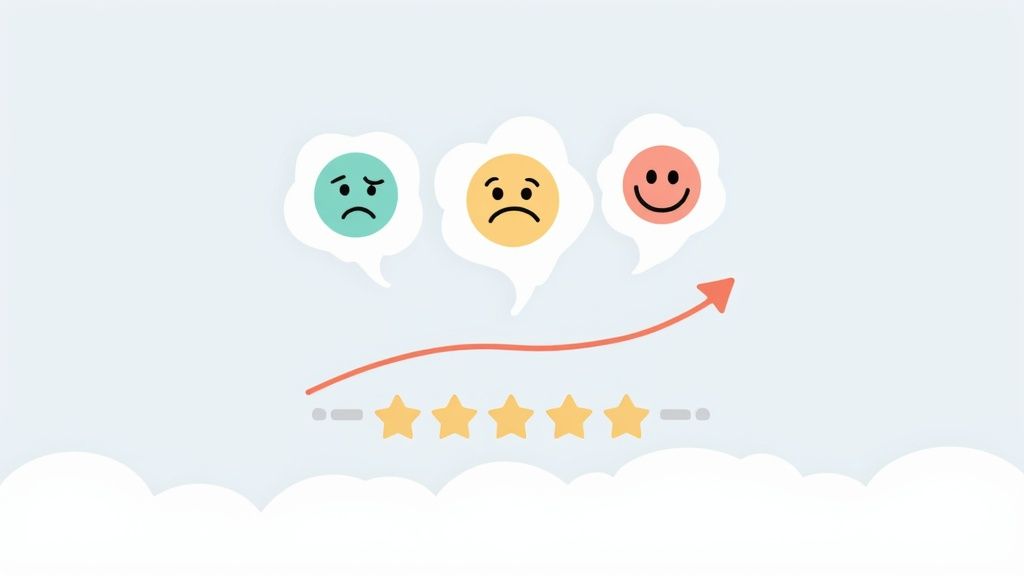
This information is vital for identifying at-risk customers, discovering product improvement opportunities, and pinpointing your most enthusiastic brand advocates. For instance, a subscription box company can integrate Delighted or Trustpilot data into their CRM to automatically flag any customer who leaves a 1 or 2-star review, triggering a workflow for a support manager to personally reach out. Conversely, a 5-star review can trigger an automated email inviting the customer to a referral program.
Strategic Breakdown & Analysis
Storing feedback data in a CRM transforms it from isolated comments into a strategic asset that can be analyzed across the entire customer lifecycle. This is one of the most powerful crm data examples for driving retention and product development.
- Proactive Churn Prevention: Integrating sentiment data allows you to build risk profiles. A customer with a declining NPS score and a recent support ticket is a high-priority churn risk, enabling your success team to intervene before they cancel.
- Product Roadmap Influence: By tagging feedback with specific feature requests or pain points (e.g., "UI confusion," "integration request"), product managers can query the CRM to see which issues affect the most high-value customers.
- Voice of the Customer (VoC) Segmentation: You can create dynamic lists based on feedback. For example, build a segment of all "Promoters" (NPS 9-10) to invite to beta testing programs or a segment of "Detractors" (NPS 0-6) for targeted win-back campaigns.
Actionable Takeaways
To make feedback data truly impactful, you must systematize its collection, analysis, and the actions taken in response.
Key Tactic: Automate the "closing of the loop." Configure CRM workflows to create a task for the account owner whenever a "Detractor" NPS score is submitted. The task should include the customer's verbatim feedback, ensuring a prompt and personal follow-up.
Implement these best practices:
- Combine Quantitative and Qualitative Data: Don't just store the NPS score. Ensure the open-ended "Why?" comments are synced to a text field in the CRM for deeper context.
- Implement Pulse Surveys: Supplement annual or quarterly NPS surveys with transactional "pulse" surveys, such as a CSAT survey immediately following a support ticket resolution.
- Track Sentiment Trends: Use CRM reporting to monitor sentiment trends over time for specific customer segments (e.g., by plan type, industry, or acquisition date) to identify systemic issues or improvements.
8-Point CRM Data Comparison
| Data Type | Implementation Complexity | Resource Requirements | Expected Outcomes | Ideal Use Cases | Key Advantages |
|---|---|---|---|---|---|
| Customer Contact Information Data | Low, basic capture & validation | Low, minimal storage & validation tools | Accurate contact lists, enable outreach & compliance | Sales outreach, CRM record keeping, basic marketing | Essential for communication, simple to maintain, supports compliance |
| Customer Interaction and Communication History | High, multi-channel capture & integration | High, large storage, processing, automation | 360° customer context, improved personalization & service | Support teams, account management, personalized outreach | Complete engagement history, improves retention & training |
| Sales Pipeline and Deal Stage Data | Medium, stage modeling & disciplined entry | Medium, tracking, forecasting tools | Revenue forecasting, pipeline visibility, bottleneck ID | Sales forecasting, pipeline management, performance reviews | Enables accurate forecasts, prioritizes opportunities, accountability |
| Customer Segmentation and Behavioral Data | High, modeling & continuous refinement | High, analytics platforms, diverse data sources | Targeted campaigns, optimized resource allocation | Targeted marketing, personalization, product strategy | Precise targeting, better allocation of resources, retention focus |
| Customer Purchase and Transaction History | Medium, integration with e‑commerce/ERP | Medium‑High, transactional storage & sync | LTV calculation, cross-sell/upsell opportunities, demand insights | Revenue analysis, inventory planning, predictive selling | Direct revenue insights, supports forecasting & inventory planning |
| Customer Support and Service Interaction Data | Medium, ticketing systems & consistent logging | Medium, case storage, analytics, routing rules | Improved service quality, faster resolutions, CSAT tracking | Support operations, QA, root‑cause product fixes | Identifies common issues, measures support efficiency, informs product changes |
| Marketing Campaign and Lead Engagement Data | High, attribution & tracking infrastructure | High, tracking, analytics, consent management | Measured marketing ROI, optimized campaigns, lead qualification | Campaign optimization, A/B testing, channel performance | Quantifies campaign impact, enables optimization, informs budgeting |
| Customer Sentiment and Feedback Data | Medium, survey & text analysis workflows | Medium, sentiment tools, some manual review | Insights into perception, churn signals, qualitative context | CX improvement, product feedback, churn prevention | Reveals customer perception, early churn detection, rich qualitative insight |
From Data Points to Strategic Advantage: Activating Your CRM
Throughout this guide, we've explored the foundational pillars of modern customer relationship management through eight critical crm data examples. We've moved beyond simple definitions, dissecting the strategic value locked within everything from basic contact details to nuanced customer sentiment scores. The journey from a static database to a dynamic growth engine is not about merely collecting information; it’s about structuring, enriching, and activating it with purpose.
The key takeaway is that each data point, whether it's a deal stage in your sales pipeline or an interaction history from your support desk, is a piece of a larger puzzle. When assembled correctly, these pieces create a comprehensive, 360-degree view of your customer. This unified profile is the bedrock of personalization, enabling you to deliver experiences that are not just relevant but also deeply resonant.
Bridging the Gap Between Data Collection and Action
Mastering your CRM data requires a strategic shift in perspective. Instead of viewing your CRM as a historical record, see it as a predictive and proactive tool. This transformation hinges on a few core principles we've discussed:
- Structured Foundations: Clean, consistent data is non-negotiable. As we saw with the JSON and SQL schema examples, a well-defined structure prevents data decay and makes information accessible and actionable for both humans and automated systems.
- Contextual Enrichment: Raw data has limited value. The true power emerges when you enrich it with external context. This is where automated tools become invaluable, transforming a simple company name or domain into a rich profile complete with logos, industry classifications (NAICS), and social footprints. This visual and contextual data makes every interaction more personal and professional.
- Integrative Workflows: Your CRM should not be an island. The integration snippets and field-mapping patterns provided demonstrate how to connect your CRM to the rest of your tech stack, ensuring that valuable customer insights flow freely between sales, marketing, support, and product teams.
Strategic Insight: The most successful companies treat their CRM not as a system of record, but as a system of intelligence. They continuously invest in data quality and enrichment to ensure every team member has the context needed to make the best possible decision in the moment.
Your Actionable Path Forward
The examples and strategies laid out in this article provide a clear blueprint for elevating your CRM practices. To begin activating your data and turning insights into revenue, focus on these immediate next steps:
- Conduct a Data Quality Audit: Start by assessing your current CRM data. Identify inconsistent fields, duplicate records, and incomplete profiles. Use this audit to establish new data hygiene protocols for your entire organization.
- Identify an Enrichment Opportunity: Pinpoint one key area where enriched data could have an immediate impact. For SaaS companies, this could be personalizing onboarding flows with company logos. For fintech platforms, it might be adding visual branding to transaction records.
- Automate One Manual Process: Choose one repetitive data entry or lookup task that your team currently performs manually. Implement an integration or API-driven workflow to automate it, freeing up your team to focus on higher-value activities.
Ultimately, the goal is to create a virtuous cycle: clean data leads to better enrichment, which provides deeper insights, which fuels more effective actions, which in turn generates more high-quality data. By embracing the crm data examples and tactical approaches we've covered, you can build a powerful, self-improving system that not only manages customer relationships but actively strengthens them, driving sustainable growth and creating a powerful competitive advantage.
Ready to transform your CRM records from simple text to visually rich, actionable profiles? Brand.dev provides a simple API to enrich your contact and company data with official logos, colors, social links, and more. Start personalizing your user experience and building a more intelligent CRM today by exploring the Brand.dev API.