
Ever walked into your favorite coffee shop and the barista already knows your order? That’s the feeling great personalization on the web aims to create. It’s about transforming a generic, one-size-fits-all website into a dynamic experience that feels like it was made just for you.
Instead of just serving up static pages, personalization adapts the content, offers, and navigation to who you are and what you need. It’s not about creepy tracking; it’s about making a website feel like a helpful conversation.
Why Personalization Matters Now More Than Ever
Modern customers have little patience for irrelevant content. They expect websites to respect their time and anticipate their needs, turning a passive browsing session into an active, genuinely useful interaction. This isn't just a nice-to-have feature anymore, it's the baseline expectation.
The Driving Force Behind Modern Digital Strategy
The demand for tailored experiences is reshaping how businesses operate online. The numbers are clear: 76% of customers now expect personalized shopping experiences. Brands that get this right see solid returns.
Effective personalization can boost revenue by 10-15%, and more than half of all purchases are influenced by relevant recommendations. The downside of getting it wrong is just as significant, with 71% of shoppers feeling frustrated by impersonal experiences. Discover more insights about the impact of personalization from WiserReview.
This creates a strong reason for businesses to move beyond basic, broad-stroke marketing. The real goal is to build a one-to-one relationship at scale, which is what drives real loyalty and growth.
Core Benefits of a Personalized Approach
When you get personalization right, the results aren't just fuzzy feelings, they show up in your bottom line. A smart strategy directly improves the entire customer journey, creating stronger connections and hitting key business goals.
The key benefits:
- Enhanced User Engagement: When you show people content and products that actually matter to them, they stick around longer and click more. Simple as that.
- Increased Conversion Rates: A journey built for a user's specific goal, like showing a returning visitor their abandoned cart right away, removes friction and makes it dead simple for them to convert.
- Stronger Customer Loyalty: People trust brands that "get" them. The numbers back it up: 80% of customers prefer buying from brands that personalize, which in turn leads to 65% higher loyalty.
- Improved Brand Perception: A seamless, helpful experience leaves a lasting positive impression. It’s a powerful way to stand out from competitors who are still shouting the same generic message at everyone.
How Different Personalization Approaches Work
Web personalization isn't a single button you press; it's more like a complete toolbox. You've got different tools for different jobs, ranging from simple, quick adjustments to complex, AI-driven experiences that adapt in milliseconds. Figuring out which tool to use is the first step toward building a strategy that actually clicks with your audience.
The whole point is to make every visitor's journey feel more relevant and intuitive. When you get it right, personalization creates a powerful feedback loop: it builds trust, which fosters loyalty, and that ultimately drives revenue.
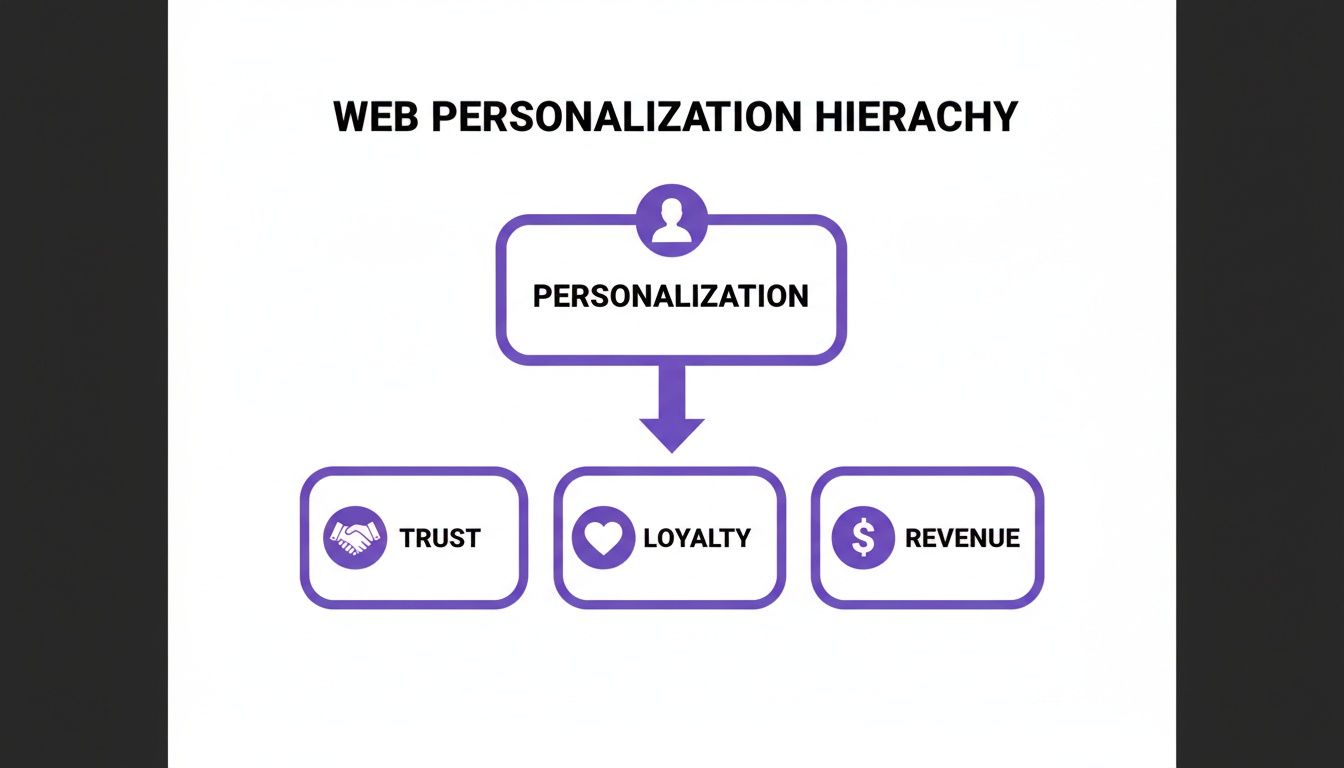
Each tailored interaction reinforces the user’s connection to your brand, turning a one-time visitor into a long-term advocate. Let's break down the most common approaches you'll encounter.
Rules-Based Personalization
The simplest tool in the box is rules-based personalization. It runs on straightforward "if-then" logic that you set up yourself. For example, if a visitor is from Germany, then show them prices in Euros and a banner for local shipping. Easy.
This technique typically relies on basic, observable data points you can grab right away:
- Geolocation: Customizing content based on a user's country, city, or region.
- Traffic Source: Showing a unique welcome message to visitors who clicked through from a specific social media campaign.
- Device Type: Optimizing the layout or offering a mobile-specific discount for users on their phones versus a desktop.
It’s not deeply individual, but rules-based logic is a fantastic starting point. It helps reduce friction and makes broad segments of your audience feel like you've anticipated their needs.
Behavioral Personalization
Taking it up a notch, behavioral personalization adapts the experience based on what a user actually does on your site during their visit. Instead of just looking at static attributes like where they're from, it responds to their actions in the moment.
Think of an e-commerce site that shows you a "Recently Viewed Items" section. That's a classic example. It uses your immediate browsing history to keep products you've shown interest in front and center, making it easy to pick up where you left off.
This dynamic approach is incredibly effective at bridging the gap between initial curiosity and a final purchase. It’s no wonder 74% of businesses have personalization in place, with a whopping 76% using real-time behavioral data to shape those experiences.
And if you want to get really effective with this, you need to understand your user segments. Diving into actionable customer segmentation techniques is a great way to sharpen your strategy.
Identity and First-Party Data
This is where things get really powerful. Once a user logs in or willingly gives you their information, you can unlock a much deeper level of personalization using their identity and declared preferences, what we call first-party data. This is the data you own and collect directly from your audience, with their consent.
This kind of data includes things like:
- Purchase History: Recommending accessories for a product they’ve already bought.
- Account Information: Welcoming a user back by name or pre-filling forms to make checkout a breeze.
- User Preferences: Letting users pick topics they’re interested in to customize their content feed.
Using first-party data helps you build experiences that feel genuinely helpful, not creepy. Because it’s based on information the user has explicitly shared, it builds trust. This is the bedrock of creating targeted and effective user journeys, something we explore in our guide on how to improve landing page personalization.
Real-Time and AI-Powered Personalization
At the most advanced end of the spectrum is real-time, AI-powered personalization. This approach uses machine learning models to analyze huge amounts of data, in-session behavior, historical trends, and contextual clues, to predict what a user wants and deliver a hyper-relevant experience in milliseconds.
Think of Netflix’s recommendation engine. It’s not just looking at what you watched yesterday; it’s constantly learning from what you watch, what you skip, and what people with similar tastes are enjoying right now.
This method can power incredibly dynamic features, like re-sorting a product page on the fly based on a user's clicks or even using Large Language Models (LLMs) to generate unique marketing copy for each visitor. While it’s the most complex to implement, it offers the most sophisticated form of personalization on the web, creating a true one-to-one conversation with every single user.
Comparing Personalization Approaches
To make it easier to see how these methods stack up, here's a quick comparison. Each approach serves a different purpose, and the best strategies often blend a few of them together.
| Approach | How It Works | Data Required | Best For |
|---|---|---|---|
| Rules-Based | Uses predefined "if-then" logic based on static user attributes. | Geolocation, device type, traffic source, basic demographics. | Broad segmentation and reducing initial user friction. |
| Behavioral | Adapts content based on a user's real-time actions on the site. | Clicks, page views, time on page, items added to cart. | Increasing engagement and guiding users toward conversion. |
| Identity / First-Party | Leverages user-provided data from accounts and preferences. | Purchase history, account details, declared interests. | Building loyalty and creating deeply relevant, trusted experiences. |
| Real-Time AI / LLM | Uses machine learning to predict intent and generate dynamic content. | All of the above, plus aggregated user data and contextual clues. | Hyper-personalization, product recommendations, and one-to-one marketing at scale. |
Ultimately, the right approach depends on your goals, your technical capabilities, and the data you have available. But starting with simple rules and gradually incorporating more dynamic, data-driven methods is a proven path to success.
Building a Powerful Personalization Tech Stack
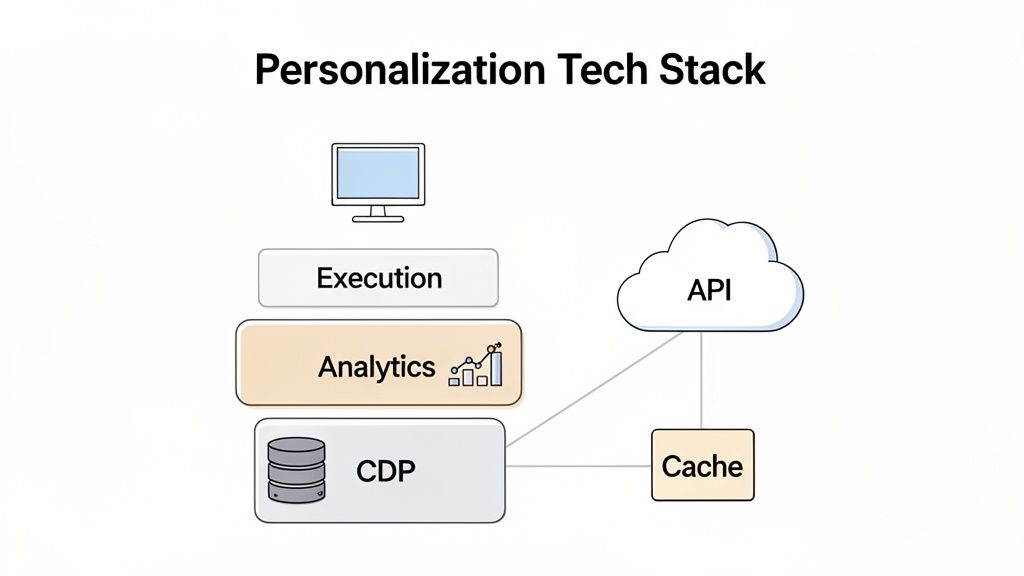
Great personalization doesn’t just happen. Behind every seamless, tailored experience is a carefully assembled tech stack working in concert. You can think of this stack as the central nervous system for your digital presence, it collects signals, makes decisions, and triggers actions, all in the blink of an eye.
To deliver truly relevant content, you need an architecture that can pull data from multiple sources and act on it instantly. This isn't about a single piece of software. It’s about building a connected ecosystem of specialized tools designed for data management, analytics, and content delivery.
Here's a look at the core components that form the foundation of a modern personalization on the web engine.
Core Components of a Personalization Engine
At its heart, a personalization stack is a real-time feedback loop. It sees what a user does, processes that activity through a decision engine, and serves back a custom experience, all before the page even finishes loading.
The key players in this process usually include:
- Customer Data Platforms (CDPs): These are the central hubs for all your user data. A CDP like Segment or Twilio unifies information from every touchpoint, your website, mobile app, CRM, you name it, to create a single, persistent profile for each customer.
- Analytics and Decisioning Tools: This layer is the "brain" of the operation. It digs into the unified data from the CDP to identify segments, predict what a user might want, and decide which personalized experience to deliver.
- Execution Engines: These are the "hands" that put the plan into action. Execution engines are the tools that actually swap out content on your website, trigger a personalized email, or display a targeted offer.
This three-part structure creates a clean flow of data from collection to action, which is what lets you build sophisticated personalization strategies that can actually scale.
Implementation Patterns and Technologies
With the core components in place, the next job is to hook them into your website or application. This is where developers use specific technologies to bring the personalized experience to life, making sure it’s both fast and reliable.
Your tech stack is only as good as its ability to deliver experiences without slowing down the user. A one-second delay in page response can result in a 7% reduction in conversions, making performance a non-negotiable priority.
Engineers rely on a few key patterns to make this happen:
- APIs for Data Retrieval: Application Programming Interfaces (APIs) are the glue that holds everything together, letting you fetch live data. An API can retrieve a user’s purchase history or, in our case at Brand.dev, instantly pull company branding information from just an email domain to prefill a signup form.
- SDKs for Simplified Integration: Software Development Kits (SDKs) are lifesavers for developers. They provide pre-built code libraries that make it much easier to integrate personalization tools into your application, saving a ton of development time.
- Feature Flags for Testing: Tools like LaunchDarkly use feature flags to let you turn personalized features on or off for specific user segments without deploying new code. This is invaluable for A/B testing different experiences and rolling out new features safely.
These technologies provide the technical backbone for a flexible and powerful system.
The Critical Role of Performance and Caching
Finally, none of this matters if your personalized website is slow. High-latency experiences frustrate users and can torpedo any benefits you gained from personalization. That's why performance optimization is a fundamental part of any good tech stack.
Caching is the go-to strategy for ensuring speed. It involves storing frequently accessed data, like personalized recommendations or user segment information, in a temporary, high-speed storage layer. When a user requests this data, it can be served from the cache almost instantly instead of being recalculated from scratch every single time.
But for true real-time personalization, caching has its limits, as it often relies on data that was calculated in the past. The goal is to strike the right balance. Use caching for static personalized elements while leaning on a highly efficient, low-latency API for dynamic content that has to be generated on the fly. This gives you a snappy user experience that still feels fresh and responsive to a user's immediate actions.
Putting Personalization Into Practice with the Brand API
Theory is useful, but moving from concept to code is where personalization starts to pay off. While you could build a complex tech stack for deep customization, many businesses can get results fast with a targeted API. This approach cuts development time, avoids the overhead of massive data collection, and delivers results right away.
At Brand.dev, we built our API to do one thing well: deliver high-impact B2B personalization. It takes a single piece of information, a corporate email domain, and returns verified brand data. This lets you create personalized moments from the very first click.
Instantly Prefill Signup Forms
One of the quickest ways to reduce friction during onboarding is to make signing up effortless. Nobody enjoys typing out their company name, industry, and other details. A brand API automates this, creating a better first impression.
The moment a user types in their work email, the API can instantly fetch and fill in the key fields.
- Company Name: No more typos. The official company name just appears.
- Company Logo: Their logo shows up right on your signup page. It’s a small touch that makes a big difference.
- Industry and Size: You get valuable firmographic data for qualification without them lifting a finger.
This isn't just about saving a few keystrokes. It tells the user your platform is smart, professional, and built for them. That feeling dramatically increases the chances they'll finish signing up, setting a positive tone for their entire journey.
For any SaaS platform, that first interaction matters. We cover this in more detail in our guide to creating a personalized onboarding experience, where we show how small tweaks can lead to better results.
Automatically Theme New User Dashboards
The personalization shouldn't stop after the signup form. A generic dashboard feels cold and disconnected. With a brand API, you can make that first login memorable by automatically theming their new workspace with their company's branding.
It's a surprisingly simple process. The API call fetches the company’s official brand assets, and you can apply them directly to your UI.
By pulling a company's logo, primary and secondary colors, and even fonts, a generic dashboard instantly becomes a branded, familiar environment. This makes a new user feel immediately at home and more connected to your product.
This visual alignment shows your tool is an integrated part of their workflow, not just another random piece of software. It’s a powerful way to show you get them and respect their brand.
You can see this in action right on the Brand.dev homepage. Just enter an email and watch a full brand kit appear.
This screenshot shows how the API pulls a complete visual identity, not just a logo, that's ready to use in an instant.
Powering Advanced Use Cases
A brand API can do much more than onboarding. The data it provides can be used at multiple touchpoints to create a consistently personal experience throughout the customer lifecycle. These applications can set your product apart.
A few examples:
- Enrich Invoices and Documents: Automatically pop a customer’s logo and brand colors onto their invoices, reports, or proposals. This small touch adds a layer of professionalism that reinforces your partnership.
- Generate On-Brand Marketing Assets: Connect brand data to an AI or LLM to create marketing materials that follow a user's style guide. An AI tool can generate social media posts using the right tone, logo, and color palette.
- Enhance Company Profiles: For CRMs, sales tools, or fintech platforms, enriching company profiles with logos and brand info makes the data instantly more visual and easier to scan. It turns a boring list of company names into a dynamic, recognizable overview.
These examples show how a simple API can become the foundation of a sophisticated personalization on the web strategy. By focusing on brand identity, you're creating experiences that aren't just relevant, they're respectful of your customer's own brand, building deeper and more valuable relationships along the way.
Measuring the Real Impact of Your Strategy
Launching a personalization strategy feels great, but how do you actually prove it’s working? Moving beyond guesswork means getting serious about measurement. This isn't about chasing vanity metrics like page views; it's about connecting your efforts to the key performance indicators (KPIs) that show you're delivering real business value.
A solid personalization on the web strategy should directly and positively change how users behave. If a personalized experience doesn't produce a better outcome than a generic one, it’s just noise. Every personalized touchpoint needs to be tied to a measurable business goal.
Key Metrics That Truly Matter
To get a real sense of your strategy's effectiveness, you have to track the numbers that directly impact revenue and customer relationships. These KPIs are the hard evidence you need to justify the work and figure out what to do next.
Focus your attention on these core areas:
- Conversion Rate Lift: This is the clearest sign of success. It’s the percentage increase in users taking a desired action (like making a purchase or signing up) when they see a personalized experience versus a control group.
- Average Order Value (AOV): Smart product recommendations and tailored offers should encourage customers to add more to their cart. A rising AOV shows your personalization is successfully boosting the value of each sale.
- Customer Lifetime Value (CLV): A truly great personalized journey builds loyalty. By measuring CLV, you can see if you're turning one-time buyers into repeat customers who stick around and spend more over the long haul.
- Churn Reduction: For any subscription business, personalization can be a secret weapon against churn. A more engaging and indispensable experience gives customers a powerful reason to stay.
Tracking these metrics moves the conversation from "I think this is working" to "I can prove this is working."
Validating Your Strategy with Testing
In personalization, assumptions are the enemy. The only way to know for sure if a new idea is a winner is to test it scientifically. This is where controlled experiments become your best friend for making decisions based on data, not just a hunch.
An effective personalization engine is never "finished." It's a continuous cycle of hypothesizing, testing, and iterating based on real user behavior. Data, not intuition, should always guide the next step.
Two primary testing methods are the bedrock of this process:
- A/B Testing: This is the classic, straightforward approach. You create two versions of a page or feature, the original "A" version (your control) and a personalized "B" version (your variant). Then, you show each version to a different slice of your audience to see which one performs better against your target KPI.
- Multivariate Testing: This takes A/B testing a step further. Instead of just testing one change, you test multiple variations of different elements on a page at the same time (e.g., a personalized headline, a custom call-to-action, and a tailored image). This helps you figure out which combination of elements drives the biggest impact.
Creating a Roadmap for Improvement
Once you have a steady stream of data flowing in from your tests, you can start building a roadmap for continuous improvement. Dig into the results. What’s resonating with different user segments? What’s falling flat? Use these insights to fine-tune your current strategies and dream up new hypotheses to test.
This iterative loop, measure, test, learn, repeat, is what separates a mature personalization strategy from a series of one-off campaigns. It transforms your website from a static brochure into a dynamic platform that constantly adapts to better serve your users and, ultimately, your business goals.
Navigating Privacy and Building User Trust
Great personalization and user privacy aren't opposing forces, they're two sides of the same coin. In a world shaped by regulations like GDPR and CCPA, and with third-party cookies on their way out, the old playbook of scooping up data is officially dead. The only path forward is to build genuine trust, making users feel safe and understood.
This shift is actually a massive opportunity. Instead of seeing privacy as a roadblock, the smartest companies are treating it as a competitive advantage. When users trust you, they're far more willing to share the information needed for personalization that's genuinely helpful, not creepy.
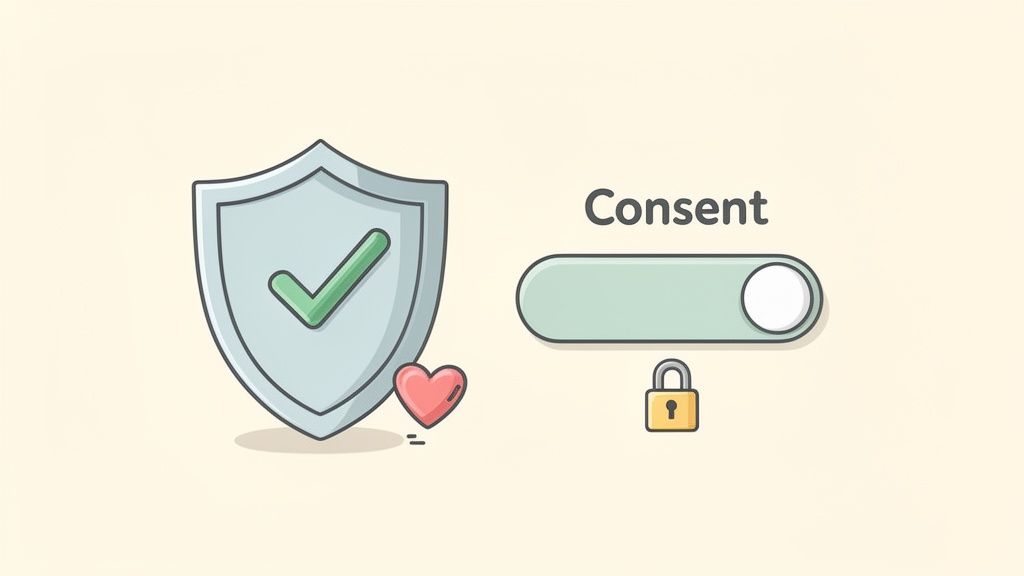
The future of personalization on the web is built on a foundation of transparency and respect. It’s all about creating experiences so valuable that people are happy to opt in.
The Strategic Shift to First-Party Data
With third-party cookies fading away, the most valuable data you can have is the information you collect directly from your audience, with their explicit consent. This is known as first-party data, and it's the bedrock of modern, privacy-first personalization.
Unlike third-party data scraped together from aggregators, first-party data is incredibly accurate and relevant because it comes straight from the source. We're talking about things like purchase history, viewed products, or preferences a user willingly sets in their account. This direct relationship is what builds trust. We dive deeper into the differences and strategic importance in our guide comparing first-party vs. third-party data.
In fact, studies show that 80% of consumers are more likely to do business with a company that offers personalized experiences. But that willingness hinges entirely on their trust in how you handle their data.
This is why getting your data strategy right matters. It's not just about compliance; it's about building stronger customer relationships over time.
Best Practices for Ethical Personalization
Building and keeping user trust means making a clear commitment to ethical data practices. It’s about being transparent, giving users control, and always using their data to help, not to intrude. For any sustainable personalization strategy, these best practices are non-negotiable.
Here are the core principles to live by:
- Radical Transparency: Be upfront about what data you're collecting and how you plan to use it. Don't bury the details in dense legal jargon. A simple, readable privacy policy builds confidence.
- Empower User Control: Always give users simple options to manage their data and consent preferences. An easy-to-find dashboard where they can opt in or out of specific personalization shows you respect their autonomy.
- Focus on Value Exchange: Make sure every piece of data you collect is used to create a genuinely better experience. If they share their browsing history, use it to surface better recommendations, not just to spam them with ads. This creates a fair trade.
Ethical personalization comes down to a simple concept: treat your users' data with the same respect you'd want for your own. This approach doesn't just keep you compliant, it turns privacy into a tool for building loyalty.
Common Questions About Web Personalization
As you start exploring personalization on the web, a few questions come up often. Here are answers to the most common ones.
How Much Data Do I Need to Start?
You can get started with a lot less data than you might think. Forget the idea that you need a massive, perfectly groomed dataset to see results. Often, the simplest signals are more than enough for effective, rules-based personalization.
For example, you can kick things off with what you already have:
- Geolocation: Showing local content or currency to international visitors.
- Traffic Source: Displaying a custom welcome for users arriving from a specific ad campaign.
- Device Type: Adapting the layout for someone on a phone versus a desktop.
The trick is to start with a clear goal and use the data you've got. You can always build out more complex strategies as your data and capabilities grow.
What Is the Line Between Helpful and Creepy?
This is the most critical distinction to get right. Personalization feels helpful when it adds real value, saving a user time, simplifying their journey, or showing them something genuinely relevant. It crosses into creepy territory when it feels intrusive or uses sensitive data without obvious consent.
The key is transparency. A user should have a rough idea of why they're seeing a particular piece of content. Helpful personalization solves a user's problem; creepy personalization just serves the business's goals, often leaving the user feeling watched.
When in doubt, always put the user's experience and comfort first.
Personalization vs. Customization: What Is the Difference?
People use these terms interchangeably all the time, but they're actually two different concepts. The main difference comes down to who’s in the driver's seat.
Customization is user-driven. It’s when a user manually tweaks their own experience. Think of choosing a light or dark mode theme, selecting your interests for a news feed, or arranging widgets on a dashboard. The user is explicitly in control.
In contrast, personalization is system-driven. The platform automatically adapts the experience for the user based on their behavior, data, and context. Both are aiming for relevance, but one is a direct action by the user, while the other is an implicit reaction from the system.
Ready to deliver high-impact B2B personalization without the complexity? With Brand.dev, you can instantly prefill signups, theme user dashboards, and enrich company profiles using just an email domain. Explore the Brand API and start building today.