
Ever feel like you’re shouting into the void with your email marketing? You’re not alone. The days of blasting a generic, one-size-fits-all message to your entire list are long gone. Today's customers are drowning in emails, and they have zero patience for anything that isn't directly relevant to them.
An email that starts with "Dear Valued Customer" and pushes products they’ve never looked at is a one-way ticket to the trash folder. It’s not just a preference anymore; it's a basic expectation.
People want to feel seen. When an email acknowledges a product they just browsed or gives them an offer based on what they've bought before, it immediately stands out. It shows you’re paying attention and that their relationship with your brand means something.
Why Generic Emails No Longer Work
This isn't just about making people feel good, it's about driving real revenue. The numbers don't lie. When you get personalization right, it directly impacts your bottom line.
In fact, segmented and personalized emails are responsible for a whopping 58% of all email-driven revenue. Think about that. More than half of the money made from email comes from sending the right message to the right person.
The stakes are high. Over 52% of consumers say they'll actively shop elsewhere if a brand's emails aren't personalized. Ignoring this isn't just leaving money on the table; it's practically handing customers over to your competitors. For a deeper dive, check out these email marketing trends.
The difference between a generic promo and a personalized one is the difference between shouting into a crowd and having a meaningful one-on-one conversation. One builds awareness; the other builds loyalty.
So, how do you actually make this shift? The answer isn't just popping a `` tag into your subject line—that was a great start about ten years ago, but real personalization today goes much, much deeper. It's about using data to create an experience that feels like it was handcrafted for each individual subscriber.
The good news? You don't need to be a data scientist to pull this off. You just need a smart approach that starts with gathering the right information and builds from there. Let's break down exactly how to make that happen.
Building Your Data and Segmentation Foundation
Great personalization isn't about guesswork, it's built on a solid foundation of customer data. You don't need to be a data scientist, but you do need a smart way to gather the right information and group it together. This is how you turn raw user info into your most powerful marketing asset.
The whole process starts with collecting data that tells you who your subscribers are and what they actually care about. This can be as simple as the name they give you at sign-up or as complex as tracking their behavior across your website over time. Once you have that data, you'll use it to create segments—groups of subscribers who share similar characteristics—and then personalize your emails using dynamic content, automation, and even AI-powered tools.
This is the fundamental shift we're talking about: moving from generic, one-size-fits-all emails to targeted messages that feel like they were made for just one person.
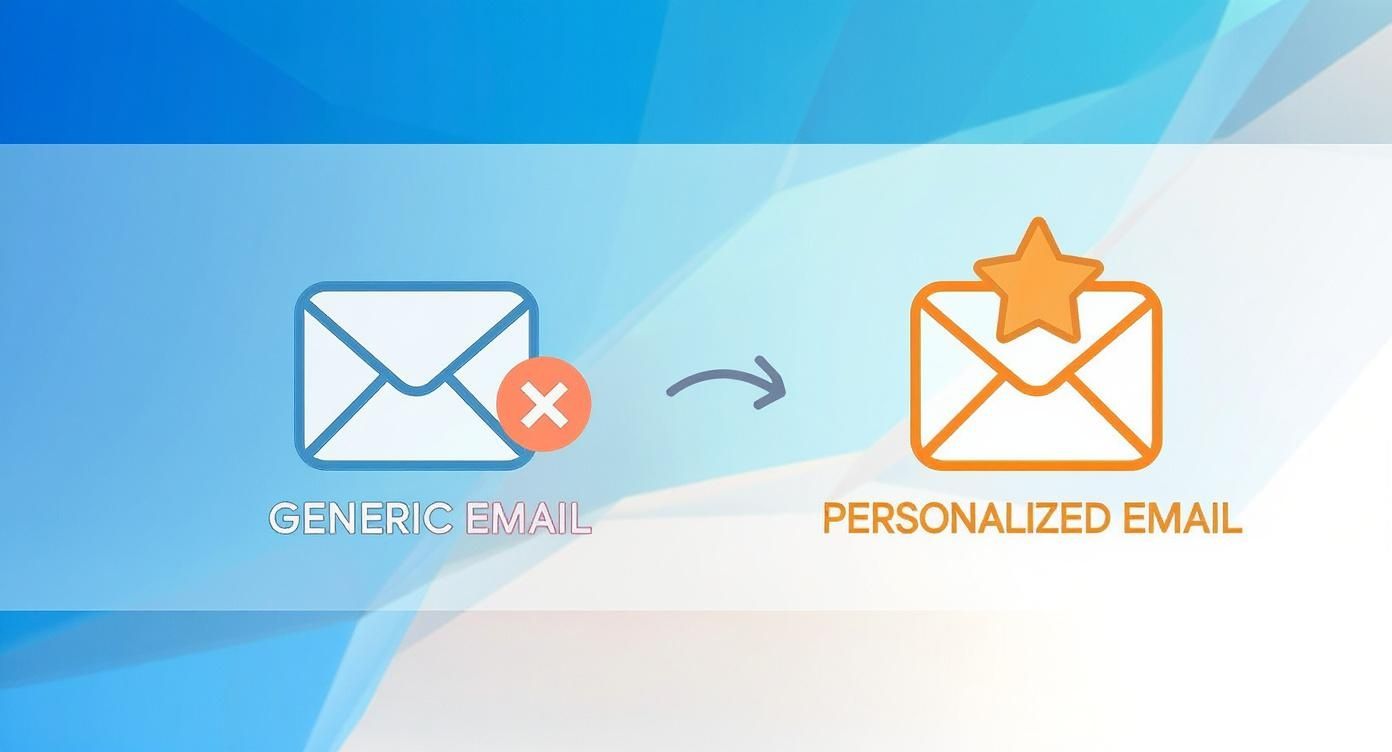
As you can see, that transformation is powered by layering data to create an experience that truly earns its place in a crowded inbox.
Gathering Actionable Customer Data
Your data collection strategy should be intentional and, above all, transparent. I've found the best approach is to start with the essentials and then progressively ask for more information as your relationship with the subscriber grows. This builds trust while still giving you the insights you need.
So, what kind of data are we talking about? It really boils down to three key types.
- Declarative Data: This is stuff users willingly tell you. Think name, location, or preferences they select in your website's preference center.
- Behavioral Data: This is what you learn by observing their actions. What pages did they visit? Which links did they click? Did they view a specific product? How often do they even open your emails?
- Transactional Data: This covers their entire purchase history, what they bought, how much they spent, and when they last ordered. It’s an absolute goldmine for predicting what they might need next.
A great tactic here is to use progressive profiling. Instead of hitting new subscribers with a massive sign-up form, just ask for their email first. Later on, you can prompt them for more details in exchange for something valuable, like a discount code or an exclusive piece of content.
For B2B marketers, diving into company data enrichment is a game-changer. It can automatically pull in valuable firmographic details like industry and company size, saving everyone a ton of time. You can learn more about how to pull this off in our guide on company data enrichment techniques.
Turning Raw Data into Smart Segments
Once you've got the data, it's time for segmentation. This is simply the act of grouping your subscribers based on shared characteristics. It’s the step that turns a messy list of contacts into distinct audiences you can speak to directly.
Don't just take my word for it, an impressive 90% of email marketing professionals agree that segmentation is a key driver of email performance. That’s a pretty clear signal of how critical this is.
Segmentation is the bridge between collecting data and executing a personalized campaign. It’s what makes your data actionable and your messages relevant.
Creating effective segments doesn't have to be a massive undertaking. You can start with a few simple, high-impact groups and build from there. Below is a quick breakdown of common data sources and how they translate into powerful personalization.
Key Data Sources for Powerful Email Personalization
| Data Type | Examples | Application in Personalization |
|---|---|---|
| Demographic | Age, gender, location, job title | Send location-based offers; tailor product recommendations by gender or age group. |
| Behavioral | Website pages visited, email clicks, cart abandonment | Trigger abandoned cart reminders; send follow-ups based on specific content viewed. |
| Transactional | Purchase history, average order value, last purchase date | Recommend complementary products; create VIP segments for top spenders. |
| Psychographic | Interests, lifestyle, values (from surveys) | Craft messaging that aligns with subscriber values; promote interest-based content. |
| Firmographic (B2B) | Company size, industry, revenue | Tailor B2B offers based on company scale; send industry-specific case studies. |
These data points are the building blocks for creating segments that actually mean something. Once you have them, you can start building out some really effective audience groups.
- Geographic Segmentation: Group users by city, state, or country. This is perfect for sending location-specific promotions or event invites. For example, a retailer could email subscribers in Chicago about an in-store-only sale.
- Behavioral Segmentation: Create segments based on engagement. You might have a "Highly Engaged" group for subscribers who open every email and an "At-Risk" segment for those who haven't clicked in 90 days.
- Lifecycle Stage Segmentation: Group users based on where they are in their customer journey. Common segments include "New Subscribers," "First-Time Buyers," "Repeat Customers," and "Lapsed Customers."
- RFM Analysis: This is a more advanced technique that segments customers based on Recency (how recently they bought), Frequency (how often they buy), and Monetary Value (how much they spend). It's one of the best ways to identify your most valuable customers.
By creating these distinct segments, you can finally move away from generic email blasts. Instead, you can craft messages that truly resonate with each group's unique interests and behaviors, setting the stage for personalization that actually works.
Using Dynamic Content to Personalize Emails
So, you’ve gathered your data and built out your segments. Now for the fun part: bringing your personalization strategy to life. This is where we go from a static email template to a dynamic, one-to-one experience for every single subscriber. The goal is to build one smart email that literally changes its content for each person who opens it.
The magic behind this is dynamic content, elements inside your email that swap themselves out based on what you know about the recipient. Instead of juggling dozens of separate email campaigns for every little segment, you create a single, flexible template. That template uses a set of rules to decide what content shows up for whom.
The Building Blocks of Dynamic Emails
Think of dynamic content as a simple set of instructions. Your email service provider (ESP) reads these instructions for each subscriber right as it hits "send," assembling a unique version on the fly.
Here are the tools you'll be working with:
- Merge Tags (or Personalization Tags): This is personalization in its simplest form. It's a tiny snippet of code, like ``, that your ESP replaces with data from your subscriber list. The classic "Hi, Sarah!" is a perfect example. Basic, but effective.
- Conditional Logic: This is where you get real power. Conditional logic uses "if/then" statements to show specific content blocks based on subscriber data. For example: IF a subscriber is in your "VIP Customer" segment, THEN show them an exclusive offer block. If not, they see the standard one.
- Dynamic Content Blocks: These are entire sections of your email, an image, a paragraph of text, or a call-to-action button, that can be swapped out. You can design different versions of a content block and then use conditional logic to pick the right one for each person.
This whole approach is massively more efficient than trying to manage an army of separate campaigns. You get to maintain a consistent brand look while delivering messages that feel incredibly relevant.
Putting Dynamic Content into Practice
Alright, let's move from theory to a real-world example. Imagine you’re an e-commerce brand. You've got a customer named Sarah, who lives in Denver and just bought a pair of running shoes last month.
Then you have Mark, who lives in Miami and has only ever purchased swimwear. They both receive the same "email campaign," but what they actually see in their inbox is completely different.
Here’s how dynamic content makes that happen:
- Personalized Hero Image: Sarah opens the email and sees a stunning shot of a runner on a mountain trail, which speaks to her location and past purchases. Mark, on the other hand, sees a picture of a sunny beach.
- Tailored Product Recommendations: Right below that hero image, Sarah's email has a dynamic block showcasing new trail running socks and hydration packs. Mark's email? It’s displaying the latest board shorts and sunglasses.
- Location-Specific Offer: The call-to-action for Sarah might even mention a partnership with a local Denver running club. Mark’s is a general online discount code.
Both of these emails were built from the exact same master template. The only difference was the set of data-driven rules that swapped out content blocks to match each subscriber's profile.
Don’t Forget the Subject Line and Preview Text
Personalization shouldn't wait until the email is opened. Your subject line and preview text are your first, and sometimes only, chance to stand out in a ridiculously crowded inbox.
Making these small tweaks can have a huge impact. In fact, some research shows that personalized subject lines alone can boost open rates by up to 26%. You can dig into more data points like this in various email marketing statistics reports that are published each year.
Pro-Tip: Don't just stop at using a first name in the subject line. Get creative. Use other data points to create a real sense of urgency or relevance. For an abandoned cart email, a subject line like, "Still thinking about the [Product Name]?" is way more effective than a generic reminder.
Here are a few ideas for dynamic subject lines you can steal:
- Based on Past Purchase: "How are you liking your [Product Name]?"
- Based on Location: "A special offer for our customers in [City]!"
- Based on Browsing History: "[Name], we picked these out just for you."
When you combine a killer personalized subject line with dynamic content inside the email, you create a seamless, relevant journey from the second they see your message to the moment they click your CTA. That's the core of great email personalization, making every single customer feel like they're your only customer.
Scaling Your Strategy with Automation and AI
Manually personalizing every single email is a quick path to burnout. As you grow, it's just not sustainable. To really make personalization work at scale, you need to put the heavy lifting on autopilot. This is where marketing automation and artificial intelligence come in, turning your hard-won data insights into timely, hands-off actions that feel personal.
Automation is the engine that drives this entire operation. It lets you set up rules and triggers that fire off the right message to the right person at the exact moment it matters most, all without you lifting a finger for each send. This isn't about sending cold, robotic messages. It's about using tech to deliver a human touch at the perfect time. If you want a broader look at this, check out this guide on how automation can streamline your business processes.
Setting Up Behavior-Triggered Emails
Behavior-triggered emails are the foundation of any smart automation strategy. These are messages sent automatically in response to something a subscriber does, or doesn't do. They feel incredibly relevant because their timing is tied directly to that person's journey with your brand.
Here are a few essential campaigns you can set up today:
- The Welcome Series: Don't just send one welcome email. Craft a three-to-five-part series that introduces new subscribers to your brand, shows them what you're all about, and guides them toward their first purchase.
- Post-Purchase Follow-ups: The conversation doesn't end at checkout. Automate order confirmations, shipping updates, and a follow-up email asking for a review a week or two later. This builds trust and keeps them coming back.
- Re-engagement Campaigns: Every list has subscribers who go quiet. Set a trigger to automatically send a "we miss you" campaign or a special offer to anyone who hasn't opened an email in 90 days.
The impact here is huge. Behavior-triggered emails can hit open rates of 42.1% and click rates of 5.4%, numbers that blow standard campaigns out of the water. On top of that, marketers see a 41% revenue bump when using AI for personalization, proving these systems directly boost the bottom line.
The Rise of AI in Personalization
While automation is great at following the rules you set, artificial intelligence takes things to another level by creating the rules itself. AI can sift through massive amounts of customer data to find patterns and make predictions a human marketer would likely never spot.
This opens the door to a kind of hyper-personalization that used to be pure science fiction.
AI’s real job is to move us beyond simple "if/then" rules and into predictive personalization. It doesn't just react to what a customer did; it anticipates what they’re likely to do next.
AI-powered systems can juggle incredibly complex personalization tasks without breaking a sweat, freeing up your team to focus on big-picture strategy and creative work.
Practical AI Applications for Email Marketers
So, how can you start using AI right now? The good news is that many email service platforms have already baked AI features into their tools, making it surprisingly easy to get started.
Here are some of the most impactful ways to put AI to work:
- AI-Powered Product Recommendations: A classic for a reason. AI algorithms analyze a user's browsing history, past purchases, and what similar customers bought to recommend products they're almost certain to love.
- Send-Time Optimization (STO): Instead of guessing the best time to send an email, STO tools learn the individual open habits of each subscriber. The platform then delivers your message at the exact hour they are most likely to check their inbox.
- Predictive Segmentation: AI can scan your entire customer base and automatically create new segments based on predicted future behavior. Think of segments like "customers at high risk of churning" or "users most likely to become VIPs."
- AI-Assisted Copywriting: Stuck on a subject line? AI tools can generate dozens of variations, predict how they'll perform, and even help you write more effective email copy that sounds like it came from you.
By folding these technologies into your workflow, you shift from a reactive personalization strategy to a predictive one. The world of generative AI tools for marketing is exploding, offering powerful new ways to create everything from on-brand ad copy to personalized email content on the fly. You can read more about it here: https://www.brand.dev/blog/generative-ai-tools-for-marketing. Embracing these tools is how you finally deliver a true one-to-one experience for every subscriber, no matter how big your audience gets.
But there's one more layer that can take your personalization from impressive to unforgettable: making the visuals themselves dynamic.
Advanced Personalization with Dynamic Images
Dynamic content and automation are great, but the real next frontier in email personalization is visual. Seriously, imagine an email where the images themselves are generated on the fly for every single person who opens it. That's the magic of dynamic image personalization, and it creates a true "wow" factor that makes your brand impossible to forget.
Instead of some static graphic everyone gets, the image is literally built the moment a subscriber opens their email. This lets you bake personal details right into the visual itself, creating a one-of-a-kind experience that feels both incredibly personal and technically impressive.
How Real-Time Image Generation Works
The concept is actually pretty straightforward. You start with a base image template, then use an API or a specialized tool to overlay unique data for each user. This data can come from your subscriber list or even be pulled from other sources in real time.
We're talking about going way beyond just showing different products. You are actually changing the pixels of the image for a single user.
Dynamic images transform a broadcast message into a personal gift. They show you didn't just segment a list, you took the time to create something unique for that individual, making them feel truly seen and valued.
For instance, a retail brand could send an email where a model is wearing a t-shirt with the subscriber's favorite sports team logo. Or a B2B SaaS company could generate a dashboard mockup that's already branded with the prospect's company logo, giving them a taste of the product experience. To pull off the B2B example at scale, you need a reliable source for brand assets, which is where a good company logo database becomes essential.
Practical Examples of Dynamic Images
The creative possibilities here are pretty much endless. This tech lets you connect your message to a subscriber's immediate context and personal identity in a way static content just can't touch.
Here are a few powerful ways I've seen dynamic images used:
- Personalized Product Mockups: Slap a subscriber's name or company name right onto a product. The classic example is showing a coffee mug with their name beautifully rendered on it.
- Live Countdown Timers: Embed a real timer into an image that counts down to the end of a sale, creating genuine urgency the second the email is opened.
- Location-Based Visuals: Display the current weather forecast for the subscriber's city over an image of your product, like a raincoat or a pair of sunglasses.
- Loyalty Program Updates: Create a personalized image of a loyalty card showing the subscriber's current points and how close they are to their next reward.
The key is to use the data you already have to build a visual experience that is both delightful and genuinely relevant.
For example, here’s how Brand.dev can be used to generate a personalized coffee mug with a company's logo and color scheme, all pulled instantly via an API call.
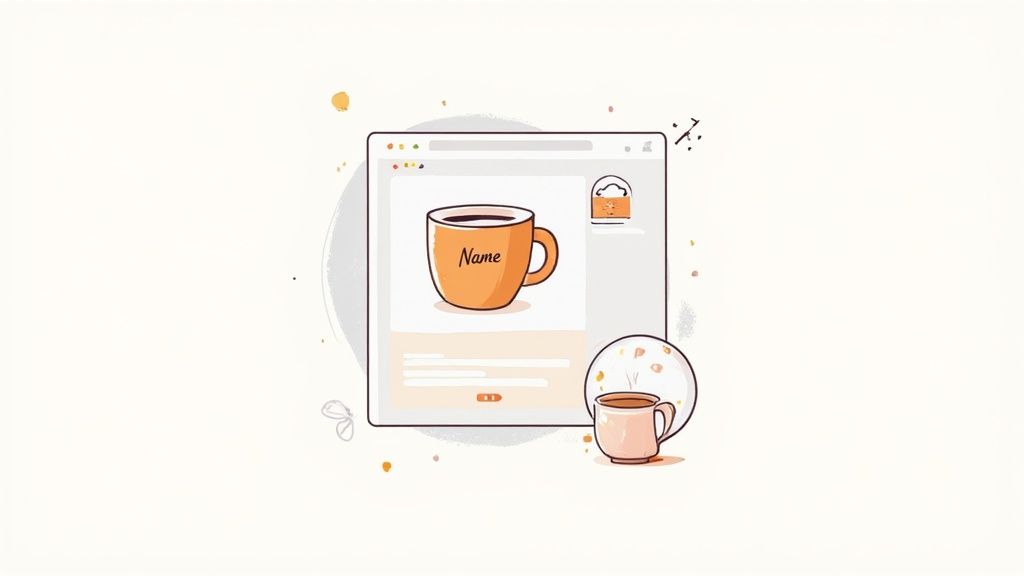
This kind of real-time visual makes a generic promo email feel like a custom-designed asset, which massively increases its perceived value and the chances someone will click.
Implementing Your First Dynamic Image
Getting started might seem intimidating, but many email platforms are starting to integrate with dynamic image providers. The whole process really boils down to connecting your data to an image generation service.
Here's the basic flow:
- Pick a Tool: First, choose a service that specializes in this kind of real-time image personalization.
- Design Your Template: Next, you'll create a base image with a designated blank space for the dynamic part (like the empty surface of that coffee mug).
- Build the Image URL: The tool will give you a special URL that includes merge tags from your email service provider. For example, the URL might contain something like
...&text=. - Embed and Send: You just pop this special URL into the
<img>tag in your email template. When a user opens the email, their ESP fills in the merge tag, the image service generates the personalized visual on the fly, and it appears in their inbox.
By taking this extra step, you elevate your personalization email marketing from just being relevant to being truly memorable. That’s how you leave a lasting impression that drives clicks and, ultimately, conversions.
Measuring Success and Respecting Privacy
Launching a personalization strategy without a way to measure its impact is like flying blind. You need to know what's working, what isn't, and how your efforts are actually moving the needle for the business. This means looking beyond the surface-level vanity metrics and focusing on the numbers that really matter, all while building a foundation of trust with your subscribers.
The proof is in the numbers. When you get personalization right, the results are staggering. Personalized emails see 29% higher unique open rates and an incredible 41% higher unique click rates compared to generic sends. For a deeper dive into the data, check out these recent email marketing statistics.
Key Metrics for Personalization ROI
To really understand your return on investment, you have to look past simple opens. While getting someone to open your email is the first hurdle, it doesn’t tell you the whole story. Real success is measured by what happens after the open.
Looking for more on this? Here's a great guide on how to increase email open rates.
Here are the metrics that paint a much clearer picture of your success:
- Conversion Rate: This is the ultimate test. Are your personalized emails getting more people to make a purchase, download a guide, or sign up for a demo?
- Revenue Per Email (RPE): This one connects your email efforts directly to the bottom line. Just calculate the total revenue from a campaign and divide it by the number of emails delivered.
- Customer Lifetime Value (CLV): Great personalization builds loyalty. You need to track whether customers in your highly personalized segments stick around longer and spend more over time.
- Click-to-Open Rate (CTOR): This metric tells you how engaging your content was to the people who actually opened the email. A high CTOR is a strong signal that your personalized message hit the mark.
Measuring success isn't just about proving value; it's about finding opportunities. Each data point is a clue telling you how to make your next campaign even better and more relevant for your audience.
A/B Testing Your Personalization Tactics
Never just assume a personalization tactic is going to work. You have to test it. A/B testing, or split testing, is your best friend for fine-tuning your entire strategy. The key is to test one variable at a time so you know exactly what’s driving the results.
Consider running tests on a few different elements:
- Personalized vs. Generic Subject Lines: Does adding a first name or a location really make a difference for your specific audience? Test it and find out.
- Dynamic Product Recommendations: Pit different recommendation algorithms against each other. Does a "products you've recently viewed" block outperform one showing "products similar customers bought"?
- Different Offers for Segments: Do your VIP customers respond better to a 20% discount, or does a free gift with purchase drive more conversions?
By constantly testing and refining, you turn personalization from a collection of cool tricks into a data-driven system for growth.
Building a Strategy on Trust and Privacy
Personalization is incredibly powerful, but with that power comes a huge responsibility to protect your customers' data. Regulations like GDPR and CCPA aren't just legal hoops to jump through; they're roadmaps for building trust.
Being transparent about how you collect and use data is non-negotiable.
Make sure your privacy policy is written in plain English and is easy to find. Give your subscribers clear, simple controls over their data with a preference center. When you treat people's data with respect, they’re far more likely to trust you with it. This creates a positive feedback loop that fuels even better, more effective personalization down the road.
FAQs: Getting Email Personalization Right
Where do I actually start with email personalization?
The good news is you can start small, really small. Even just using a first name is a solid first step. The real secret to making personalization work is to start with the data you already have, no matter how basic, and build from there. Add a name to the subject line. Once you have purchase history, bring that in. Don't wait until you have the "perfect" dataset, because you'll be waiting forever.
Does personalization work for my industry?
Yes, this works for basically any industry. If you're in B2B, you could personalize based on job titles or company size. For non-profits, it's all about tailoring your outreach based on a supporter's donation history. E-commerce brands can use purchase history and browsing behavior. The principle is the same: use what you know to make the message more relevant.
What's the difference between segmentation and personalization?
Think of it like this: Segmentation is grouping your audience (e.g., "customers in California"). Personalization is crafting the specific message for that group (e.g., "top hiking trails near you in California"). You segment first, then you personalize. Segmentation creates the audience groups; personalization delivers the tailored content to those groups.
How much data do I need to get started?
You need far less than you think. Start with whatever you have: email addresses, names, and basic sign-up information. As you build your relationship with subscribers, you'll naturally collect more data through their behavior, purchases, and interactions. The key is to start using what you have rather than waiting for a complete dataset.
Will personalization really improve my email performance?
The data is clear: personalized emails see 29% higher unique open rates and 41% higher unique click rates compared to generic sends. More than half of all email-driven revenue comes from segmented and personalized campaigns. The investment in personalization pays off, but you need to measure your results and continuously refine your approach.
Putting It All Together
Email personalization isn't a nice-to-have anymore—it's a requirement. Your subscribers are drowning in generic messages, and they have zero patience for anything that doesn't feel relevant to them personally.
The path forward is clear: start with the data you have, build smart segments, use dynamic content to scale your personalization, and leverage automation and AI to make it all manageable. Then measure what works, respect your subscribers' privacy, and keep iterating.
Remember, the goal isn't perfection from day one. It's progress. Every personalized subject line, every dynamic content block, every behavior-triggered email moves you closer to that one-to-one experience that builds real loyalty and drives real revenue.
The brands that win in email marketing aren't the ones with the biggest budgets or the most sophisticated tech stacks. They're the ones that consistently use what they know about their subscribers to make every email feel like it was crafted just for them. That's the difference between shouting into the void and having a meaningful conversation—and it's exactly what your subscribers are waiting for.